Combined Shipping Gone?
Answered
-
 Callum Community Superuser
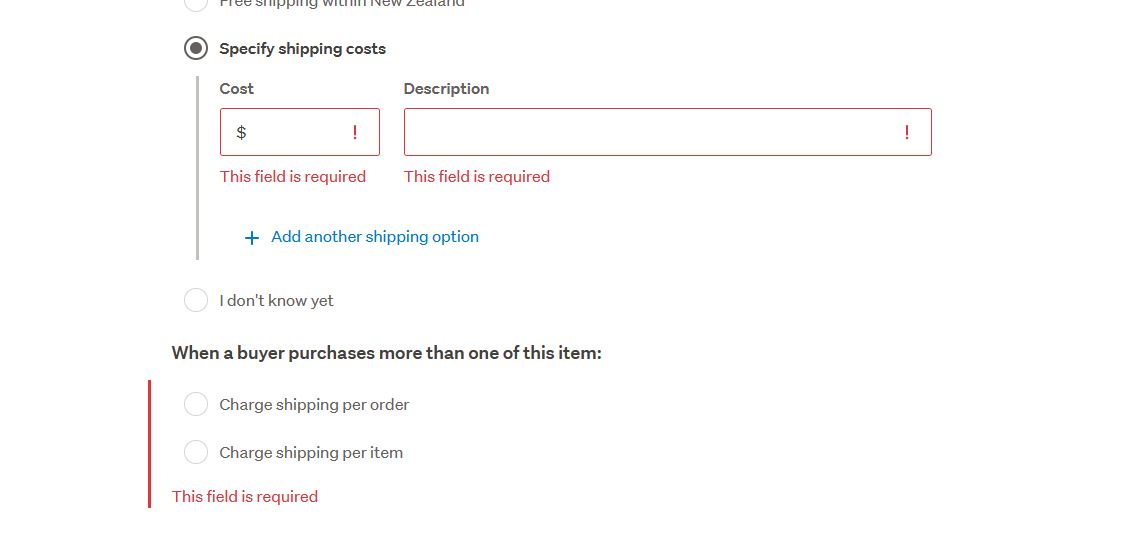
Still there for me. Don't forget it only appears for multi quantity and buynow items.
 0
0 -
 S Community Superuser
Kia Ora hails2810,
Are you using the Desktop site or one of the Apps?
I can confirm on the Desktop site I have the same options as Callum,
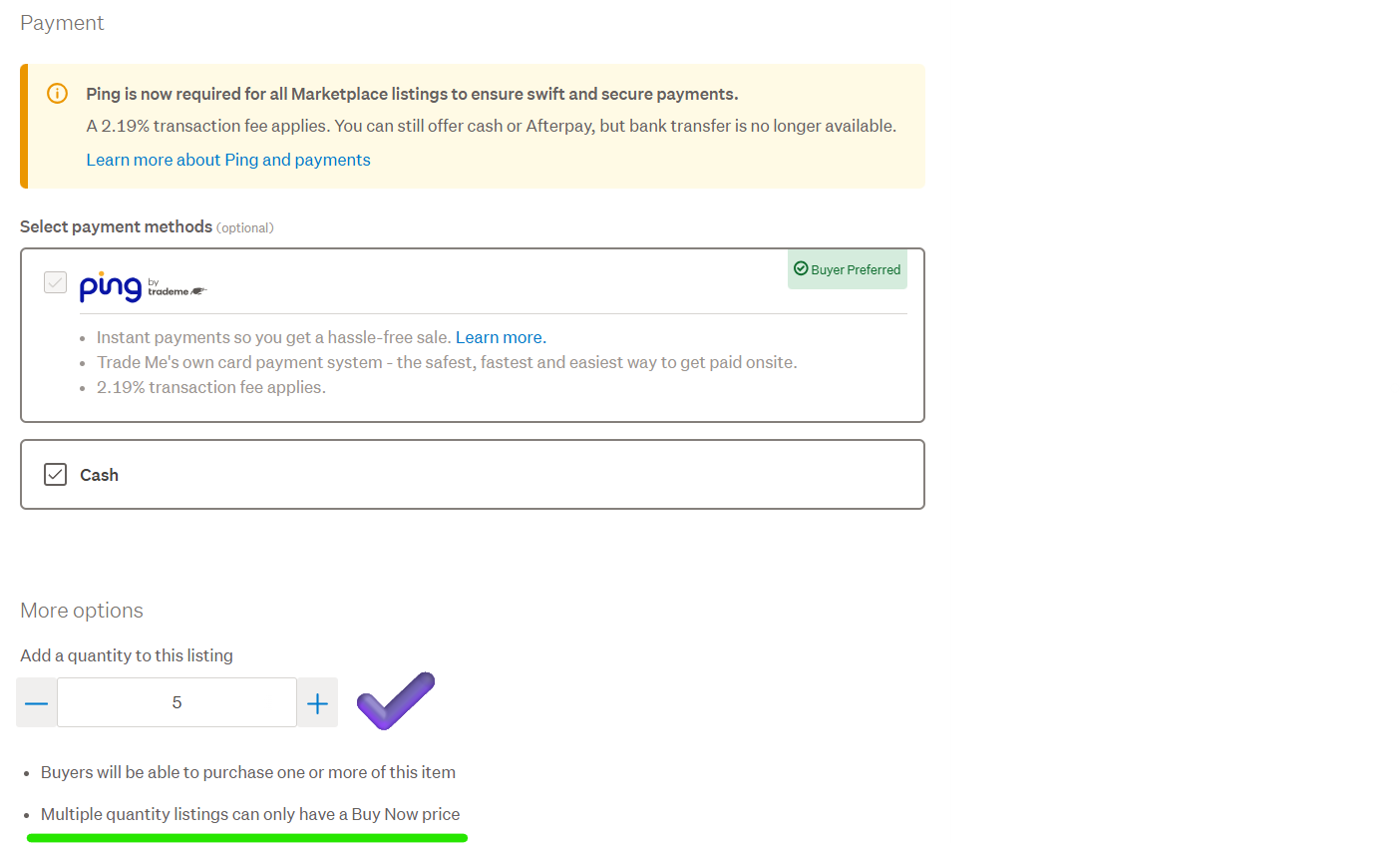
To obtain the 'charge shipping per item' and 'charge shipping per order' options you have to select your quantity of items on the Price & payment page under More options, then the options appear on the Shipping and payment page. - MQL's can only have a 'Buy Now' price. - Selecting the Specified shipping option brings up the free text shipping boxes for both a 1 item per Listing & MQL's for me.
Example:
If you're still unable to see these run through the Troubleshooting page in the Help files depending on how you're accessing the site - Desktop vs App. - Let us know how you get on. - Cheers.
0 -
I've tried it on both desktop and mobile (don't have the app). To be clear this is for a new listing. For some reason I don't have the option to upload a pic but there is no option to add multiple items either
2 -
Callum Community SuperuserEdited
To take a screenshot, use the windows snipping tool. Windows key+shift+S
Then to add your picture on here you hit the little icon at the top of the field where you type. It will say insert image if you hover your mouse over it.
0 -
S Community Superuser
Kia Ora hails2810,
This may be a simple fix with a Browser update or cache clear to remove any redundant cookies which could be interfering, an extension you may have added perhaps? - The troubleshooting Help page which you will want to check through is here for you.
0 -
S Community Superuser
Windows Snip:
Select the copy icon - in the community comment box right click your touchpad/mouse and select paste - Cheers.
 0
0 -
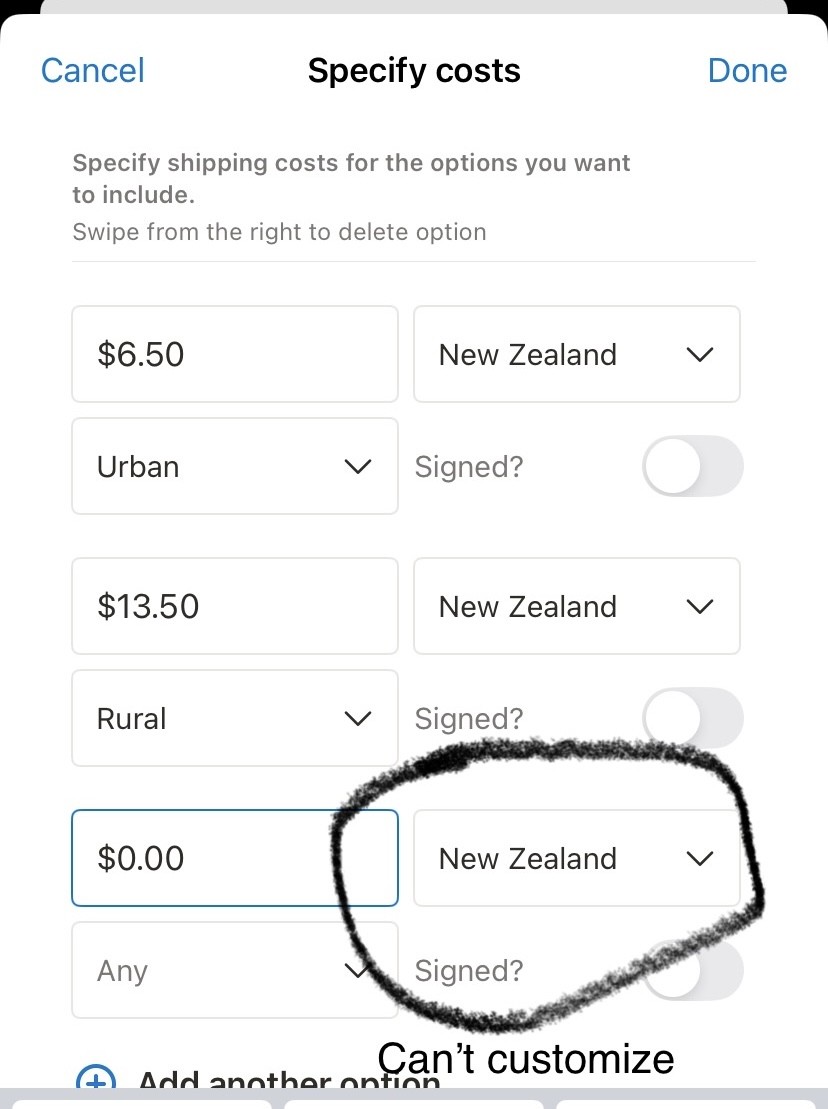
same thing is happening for me! i usually do
urban -
rural -
Free postage for four or more purchases -
but now i cant add the free postage or combined option
have tried desktop and app and ISO
3 -
 0
0 -
 Michelle
Trade Me staff - Community team
Kia ora hails2810 and winny24, Sorry for the trouble – we’re upgrading some background systems that power Trade Me, and as part of this change we're making shipping options more structured. If you have a number of items to list and would like to offer combined shipping, you can check out a selling tool like My Products. If you have any issues adding other options please let me know.
-6 -
I think your shipping options are more structured but not easy to use, there should be a combined shipping option and text boxes for cost often change back to old value when I trying to add new shipping options, very annoying.
4 -
Thanks to blade_dn for quick response.
I seem to share some of the same issues as the other people in this earlier thread
I'm a casual seller, not 'In Trade' , I've no need for a listing tool.
I'm selling individual items by auction, and don't have multiples of the same product avaiable. Sellers in the past who have won multiple individual auctions have often aksed me to send all purchases in one shipment so they only incur one shipping charge.
The other contributor comments suggest I may still be able to offer this for Buy Now listings ?
The payment options are now 'more structured' , but this also means they are less flexible !
PS: having looked at help pages on some other tech issues I did try to to avoid the caching issue by trying to create additional listings on a different Desktop using a different browser to sign into Trade Me. Same result tho
The new Shipping options
1 -
Callum Community Superuser
Hello liquid8r
You don't have to be an in-trade seller to use My Products. Many casual sellers do.
Looking at your listings, I think you would benefit from it. It's ideally suited to your type of listings.
Once you have created one listing you can "duplicate" it. Then change a couple of things like the picture and your grading value for each new listing. You won't have to type out the rest of your description or copy it across like you might be doing now.
It will also allow creation of shipping templates. So you don't type these in for each auction either. You'll find you can create a new listing in a few seconds and have the ability to bring back the combined shipping option. :-)
-3 -
 liquid8rEdited
Hi Callum
Thanks for your thoughts.
Sounds like 'My Products' could be some use, I will have a look at it later this week. (Sounds like it may work for items with Buy Now, but many of my listings are likley to be auctions)
1 -
Why can't trademe just add a combined shipping option? What is being suggested is too rigid and a lot of extra work to set up.
Thought these new changes were supposed to make life easier but it seems more complicated. Otherwise I'll just have to have the I don't know shipping option on all the auctions and figure out postage once auction or buy now is completed.
Unless a better option is created by Trademe I think we may have to part ways after a quarter of a century. The useability of this site has just got worse over the years and not better. The original design which sometimes still pops up is so much easier to navigate.
It seems to me that Trademe only wants professional sellers.
5 -
I did follow Callum's recommendations and found that 'My Products' did allow me to create listings the way I wanted to, and does seem to be pretty straightforward to use for basic listings.
So I have created a few to see how the actual auction process works for me and buyers, and will find out next week when first sale is completed.
1 -
No. It's still the same unless the old format switches back which it does intermittently. Otherwise the new style listing pages don't allow it. Just tried it.
3 -
S Community Superuser
Thanks leedon,
Appreciate you coming back so quick to let us know.
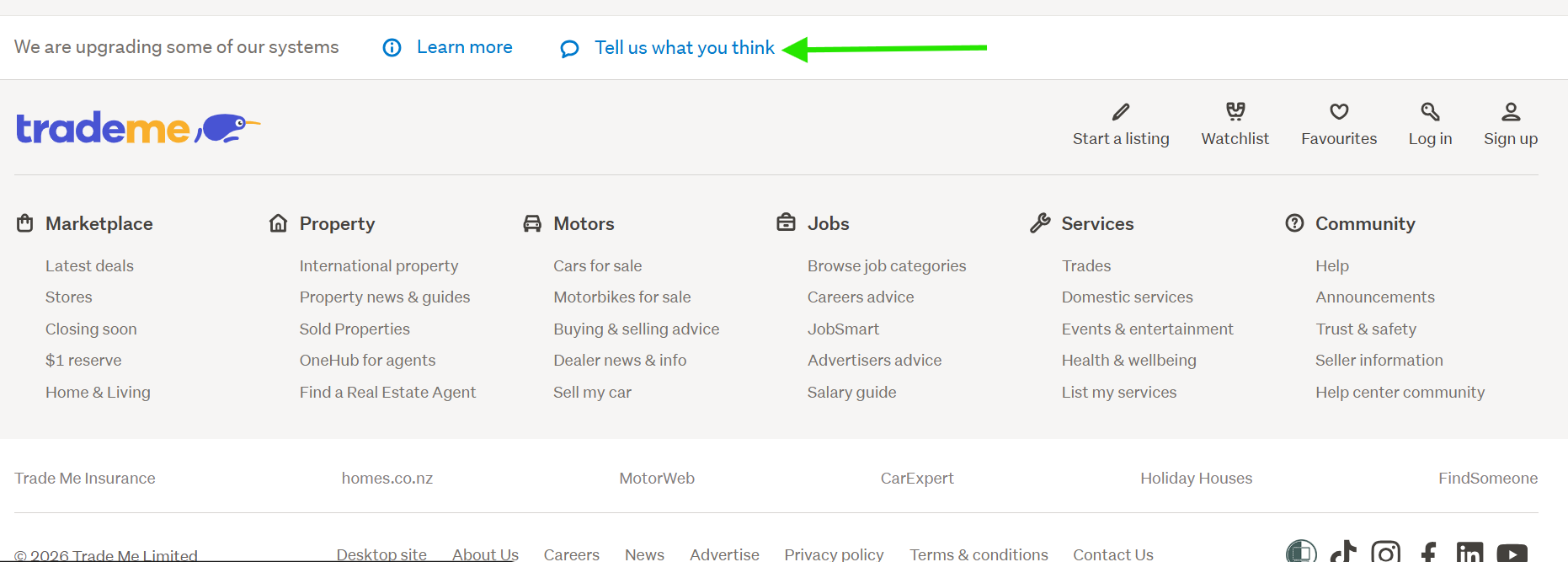
The 'Tell us what you think' link you were looking for is on the New Look Desktop site near the bottom of the Buy/Sell pages - Not found in Community or Help files.
Example:
 0
0 -
Still no combined shipping option.please put it back.
0 -
Michelle
Kia ora everyone, I know combined shipping has been greatly missed, so I have an update for you, combined shipping is being rolled out to applicable listings on the new system. To use it you'll need to be on the desktop site, go to "Calculate courier costs" or "Specify shipping costs". Buyers can see and purchase using combined shipping from both the apps and desktop site. Of course listings on the old system have always had it, so no change there.
2 -
That is a good start. But if you are combining auctions you need more shipping options.
For example if you are selling up to six magazines it is great. One shipping price would cover it. But if you were to sell twelve magazines the combined shipping price would be at a different rate. $9.00 as opposed to$7.00. Why can you not have two different urban shipping options to reflect this? Same for rural.
0


20 comments
Date
Votes