Selecting Notifications

How do you select the Push notifications you want to receive via the app these days? I used to be able to access a section that let me select which notifications I wanted to receive but now the only option seems to be receiving all notifications or none. Or am I missing something?
I want notifications relevant to buying and selling but not messages suggesting I use trademe to stalk coworkers...
-
 Callum Community Superuser
Hi Kathryn. Not sure what you mean by "messages to suggest you stalk coworkers"?
I don't usually use the App notifications, but on a quick check now all mine are related to buying, selling, and new listings from favourite sellers I have saved. Using iOS app version 191.0
I don't have push notifications turned on, because my phone would be pinging hundreds of times a day if I did. But I would assume the push notifications would be the same as those showing within the app itself.
-4 -
I can't remember the exact wording or find the reddit thread discussing it but trademe sent a push notification last week stating that something like 15% of people had used trademe property to check out their coworkers houses. Yay, that creepy guy at work now knows the internal layout of your house...
I'm on 191.0 too but settings > notifications is just 'Receiving 22 out of 22 push notifications - configure push notification type' but the only option is to toggle allow notifications on or off. I used to be able to select the notifications I wanted from a list.
2 -
 S Community Superuser
It would be this one which got sent out 16 September 2024
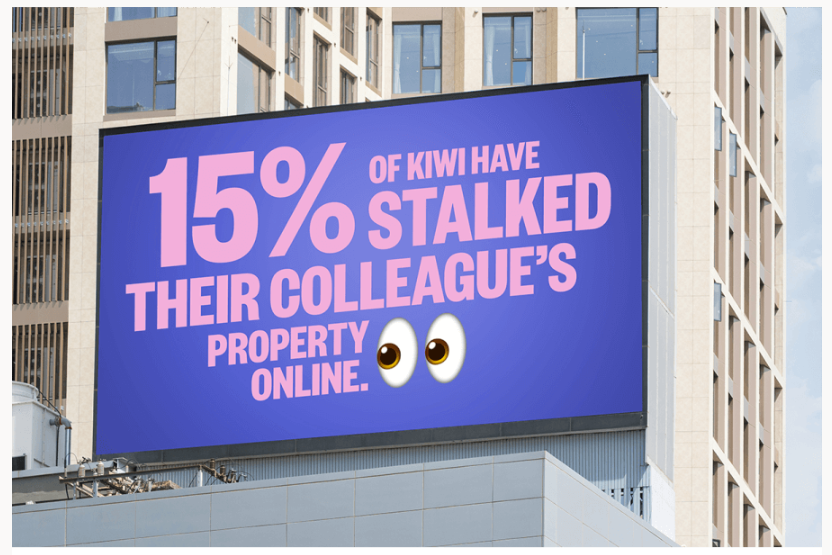
You may have to untick boxes you have selected to be sent this type of TradeMe Property notification within your email preferences in the Desktop site in the interim perhaps.
0 -
Yup, that's the one.
Do you have the url for the notifications section? I'm on new format and its no longer linked in my trademe and even google doesn't bring it up.
0 -
Callum Community Superuser0
-
Thanks Callum.
I have pretty much everything turned off in e-mail notifications so sadly that isn't the trick.0 -
S Community Superuser
Kia Ora Kathryn,
Have a look under the TradeMe Link also - just incase one of them is sending the Property notifications through - Cheers.
0 -
Just had a break through. I tried loading the app on my old phone (a Huawei) and was able to access the the list of notifications and turn off what I didn't want. For some reason my new phone (a Samsung) won't allow me to access that list. Hopefully the change will carry across to the new phone as well as its the same account.
2 -
S Community Superuser
Well Done Kathryn,
It sounds like there may be a bug in the android App with the list not appearing on your Samsung. I know there was a Bug in the My Favourites on the Android 3 months back...
I'm not getting instant notifications for new listings for my favourites – Help - Trade Me
0 -
This bug is still not resolved for the (Samsung) Android app? I'm receiving 22 of 22 push notifications. There is no option to choose which of the 22. It's either all or nothing.
@Trademe can we have an update and ETA for this bug to be fixed?
4 -
 Michelle
Trade Me staff - Community team
Kia ora Andy, sorry for the trouble, this was caused by a Samsung update that disables notification categories.
No worries, there is a workaround:
- On your Samsung device, go to 'Settings' > 'Notifications' > 'Advanced Settings'
- Scroll to the bottom and toggle on 'Manage Notification Categories For Each App'
- In your Trade Me app, go to 'My Trade Me' > 'Profile & Account' > 'Settings' > 'Notifications' > 'Receiving xy out of xy notifications'
- Toggle on/off individual notifications
10 -
Thanks for the fix Michelle. Could you put in a request to add a note/blurb/something on the Trademe App notifications page to explain this fix. I was stuck with the Notification categories item not responding and there was no clue as to what to do.
1 -
 eek_nzEdited
Thank you Michelle. If the marketing notifications kept coming I would have just disabled all notifications.
0 -
I've turned off all that seems relevant, but I'm still getting daily "New favourite listing in Canterbury" notifications. How do I turn those ones off? Thanks.
0 -
Callum Community Superuser
Hi Craig. You will find those on your "favourites" page
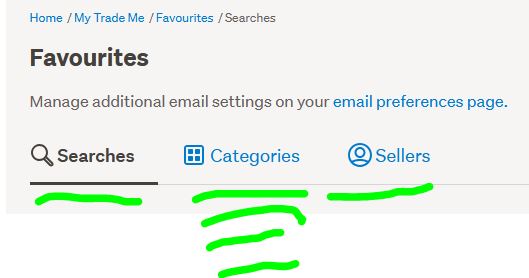 0
0 -
Callum Community Superuser
Hi Craig. See attached.
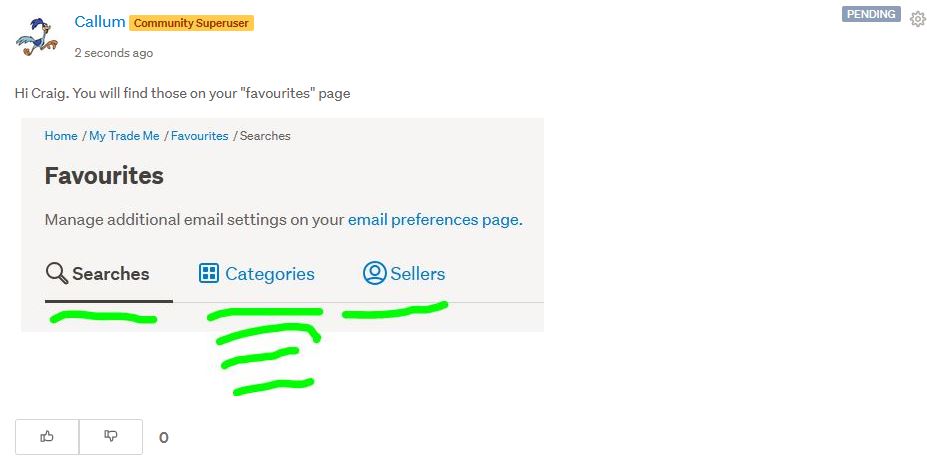 1
1 -
Thanks for that! I had looked there in my searches and seen the email icon, but I hadn't clicked that to see that there is also an Instant notification option hiding in there.
1


17 comments
Date
Votes