How do I remove a member from being blacklisted please
Answered
I would like to remove a member from my blacklist, this person seems to be OK now. thanks
Thanks for your input very helpful
-
 Callum Community Superuser
Good morning Lorraine. You just go to your blacklist and remove them.
https://www.trademe.co.nz/MyTradeMe/BlackList.aspx
1 -
 Gary-NZStocked Community Superuser
The page in your My Trademe - Settings to edit your blacklist should really say that as it only says Add a member to my Blacklist. The button link should be labelled Manage my Blacklist.
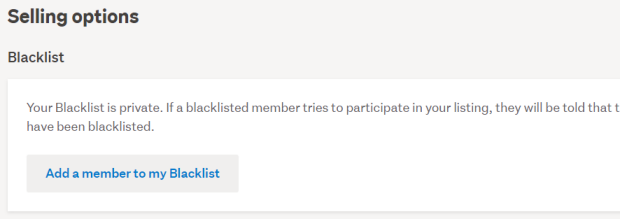
I would have posted this in the Tell us what you think area on that specific page, but although the words are on that page to do it, there is no clickable link to work.
1 -
 Michelle
Trade Me staff - Community team
Thanks Gary, I've passed that feedback on to the team.
0 -
 flossy63 Community Superuser
Maybe a work around, is by using the Blacklist on Bidbud, and remove them via there?,
I still have the old formats, so have not seen it on the new format blacklist page?,
and have not encountered issues like this not being able to remove members,
as now and then I take some off too, once members have proven themselves,
0 -
Gary-NZStocked Community Superuser
You can still remove members Flossy as the new page link simply takes you back to the old page anyway.
2 -
flossy63 Community SuperuserThank you for clarifying that,I thought some may have a new look?, as I did check mine through that way, as I just have BL page booked marked,ok, so I am not missing anything,0
6 comments
Date
Votes