Problems saving a favourite category.

I have been trying to create a favourite for sailing catamarans/multihulls.
I've done it several times on different browsers but it always changes to motorboats. I can't even create a broad favorite for all sail boats.
Is the site broken or am I doing something wrong.
-
 Gary-NZStocked Community Superuser
Yes, you are correct, it's broken. It saves it as a search, but doesn't save it correctly. It should be being saved as a category, but it's not. Other category saves are being correctly saved in the categories tab of favourites, but not your example.
It's also swapping between old and new site too, which is probably the reason for it. You save the category on the new site, but it saves it as a search.
In fact, if you can start with the old site incorrectly saved search, and filter to multihulls, then in the left filter box on the old site, it saves the search correctly, like this one, so that will do what you want it to, until they fix the underlying problems.
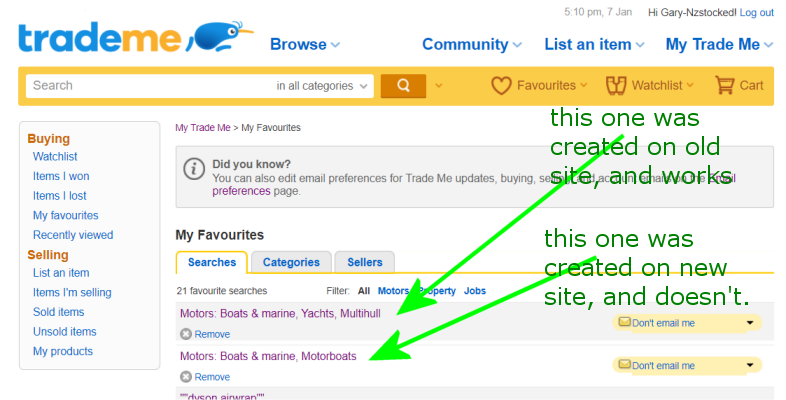 1
1 -
Thank you so much. That seems to have sorted it.
0 -
So I'm not the only one having problems. I thought it was me not putting in the search stuff correctly. Although I've done it on the new site as well as the old & it still doesn't work. Doing a search in rental properties, Christchurch & specific price, areas, amount limit per week.
Maybe I should try again....
0 -
 Lucy
LucyTrade Me staff - Community team
Hi there everyone. This is a known issue when saving a favourite sub-category under motors. The team continue to work on resolving this. In the meantime, thanks so much to Gary for the workaround!
Feel free to let us know of any other examples of this which can be passed on, too.
0 -
I too am having the same issue in the dogs for sale categories. It simply does not give you the option to be able to save. Would love to get notifications on new listings.
0 -
Gary-NZStocked Community SuperuserEdited
Hi Kerry.
The main Dogs for sale category like here, will not save as a fav category
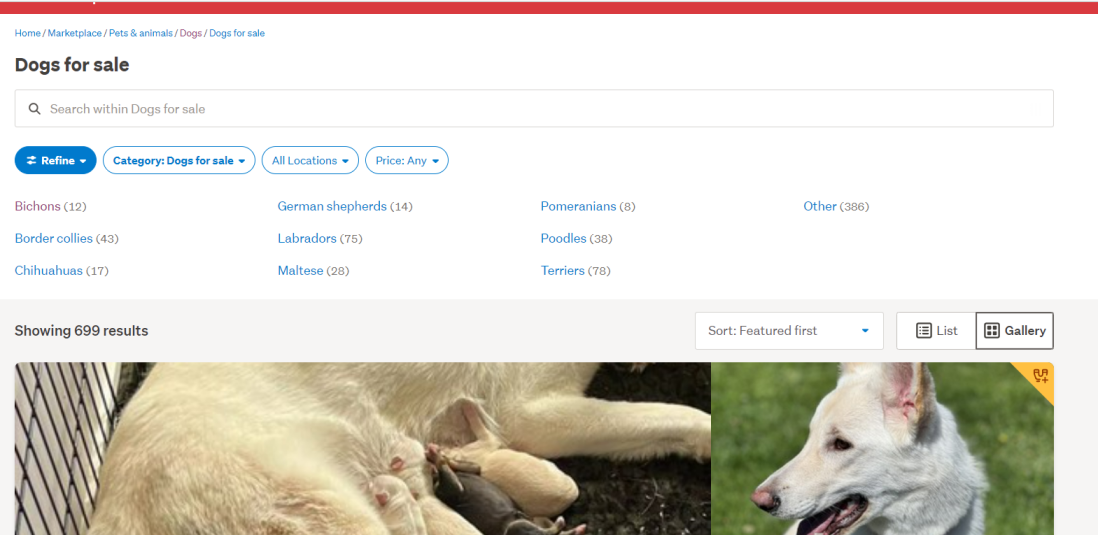
However, if while there, you put something in the search box, like a blank space, and run the search, it can be saved as a fav search like here.
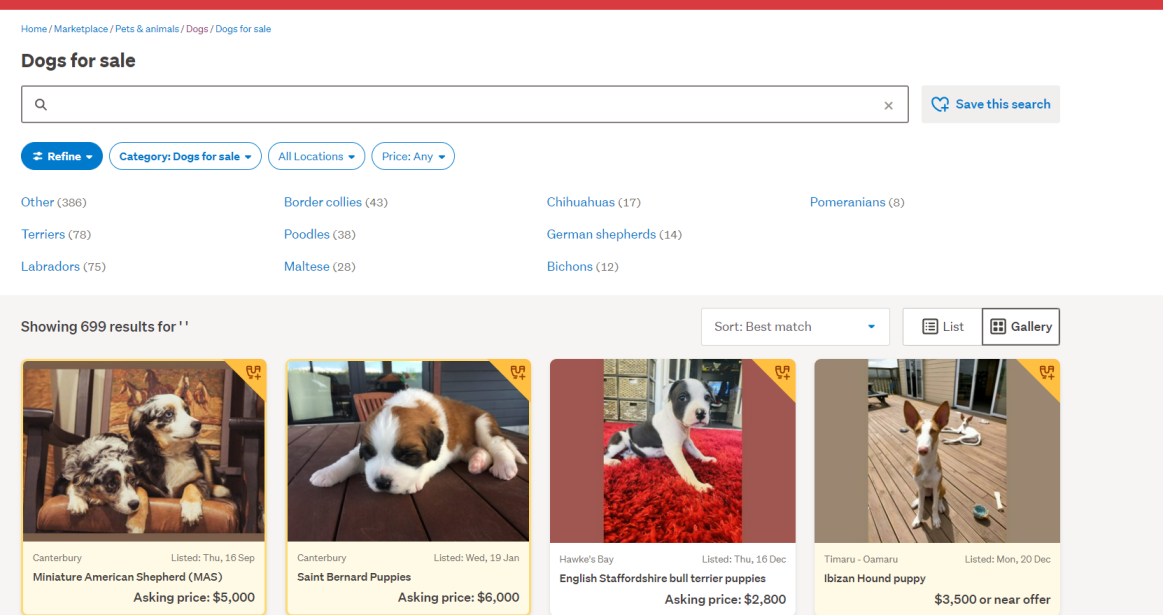
Or, the sub-categories in the dogs for sale category DO have the cat save button, just not the main top level category.
HTH
0 -
 Hamish
Thanks for that Gary! There are some minor differences between a saved search and a saved category favourite. The saved search will send an email with any new results that match your search query in the category, whereas a saved category search will email all new listings in that category. You can only save 'bottom-level' sub-categories as saved categories (e.g Pets & animals > Dogs > Dogs for sale > Terriers), where as the saved search can be made in any category and will include results in the sub-categories (e.g a search for "Terriers" in the Dogs category would return new listings that match in both the Dogs for sale, and Dogs to adopt category.)
0 -
This is not working for my category I want to save also, Dining Suites.
0 -
Gary-NZStocked Community Superuser
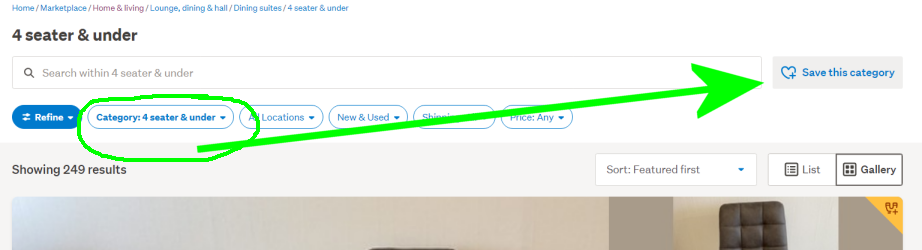
Hi Fraser, like I suggested above, you can put a blank space in the search box once in the Dining Suites category, or any high level category for that matter, and you then get the Save this search button.
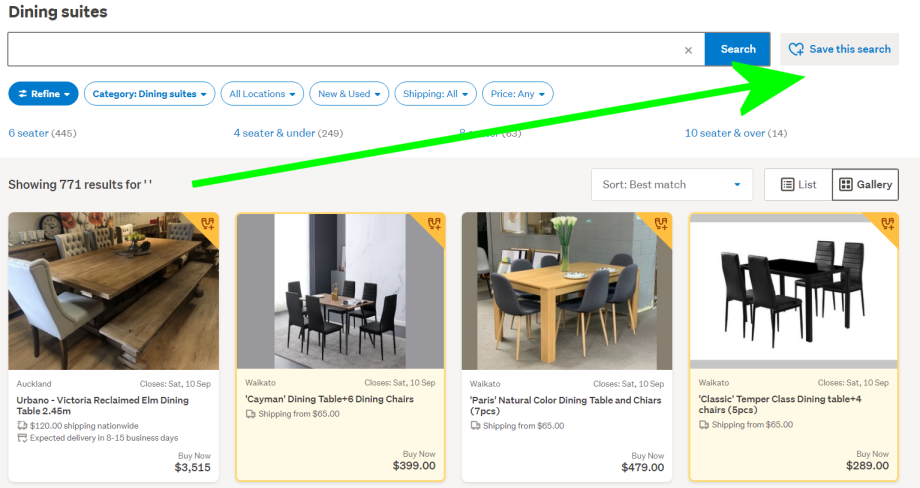
You only get the Save this category button IF in one of the sub categories eg
 0
0 -
Thank you for instant reply. I understand now, only works once fully drilled down into sub category. How about saving a favourite seller, eg https://www.trademe.co.nz/a/motors/dealer/automotive-direct-2020 ?
0 -
Gary-NZStocked Community Superuser
Unfortunately that is a special lister through some other channel rather than a Trademe membership, so there is no feedback, or save this seller function. Not sure what channel it's listed through but the listing page appears broken as most of the next page links go to an error page rather than more listings. I'll let Trademe know about the errors.
0


11 comments
Date
Votes