Bot Offline - Chat Transfer to Staff Line via - Talk to person - is Broken.

Chat commenced 1:34pm 30 October 2025
Message appeared <quote> An agent will join you in 2 - 4 minutes <unquote> - This same message remained 23 minutes later at 1:57pm - as below...
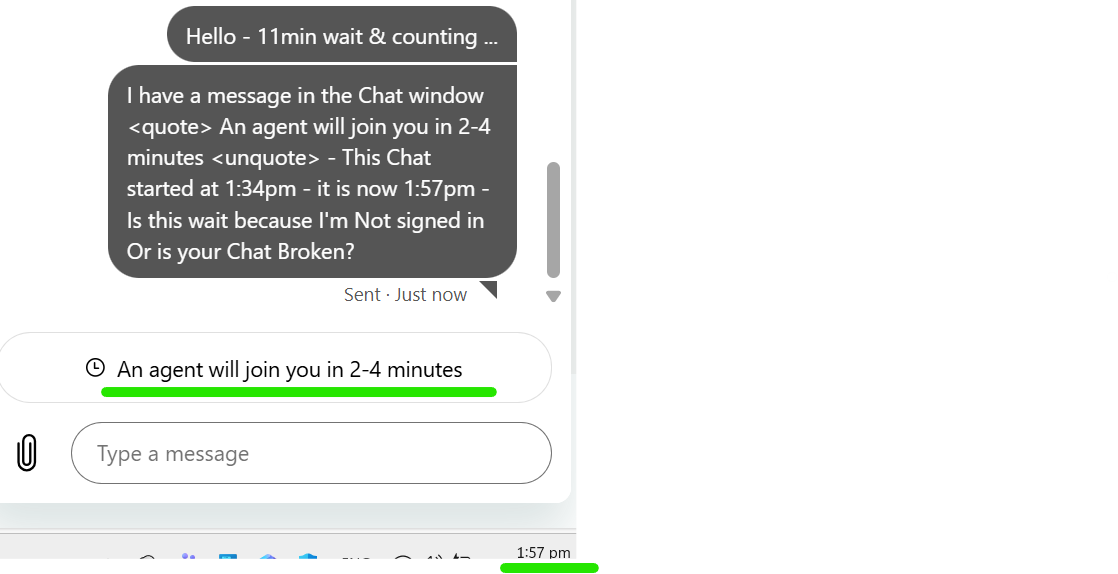
I received an email of the Transcript - unanswered and unaddressed by a staff member - The message changed approx. 2:17pm, 43 minutes of waiting, to <quote> An agent will be with you shortly - You're up next <unquote>
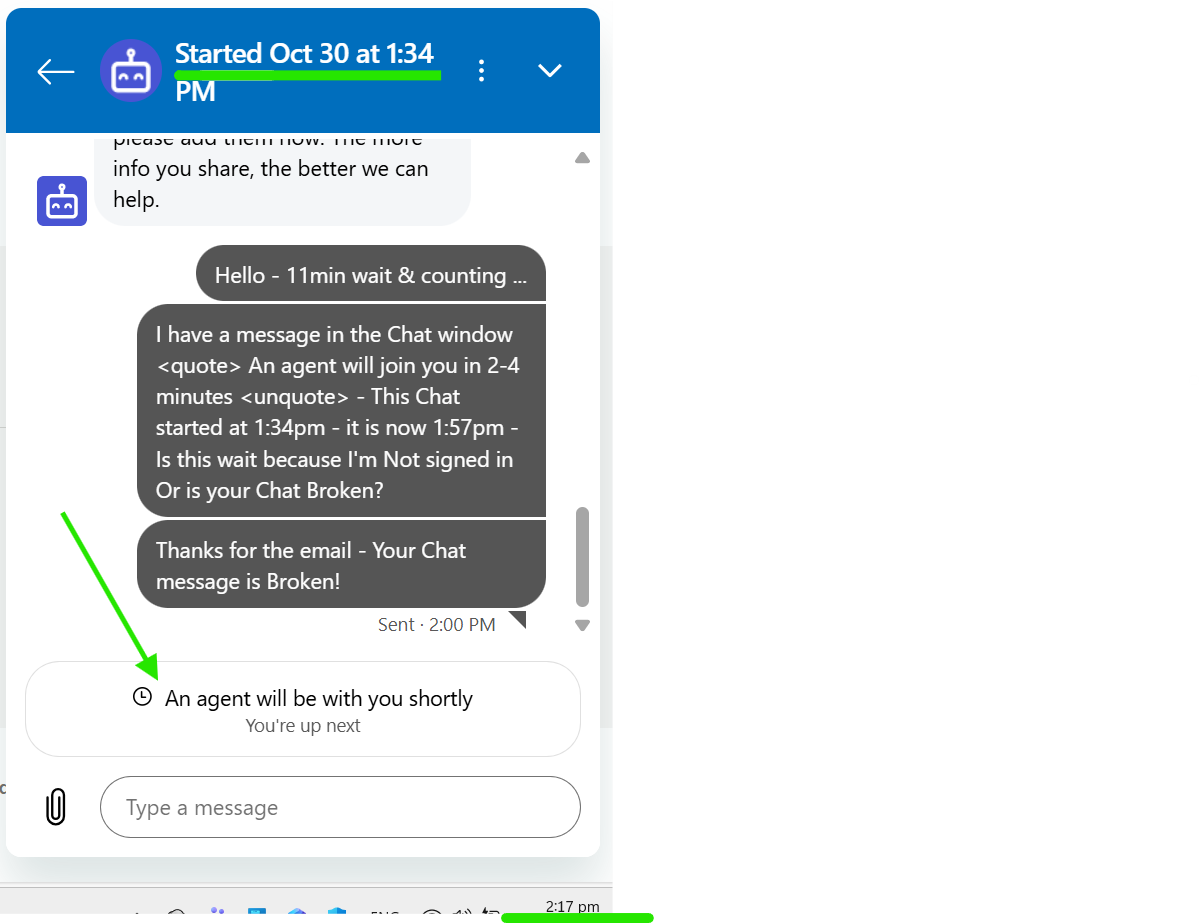
I received an updated transcript However No correspondence from a staff member & my initial query still unanswered & unaddressed - At 2:44pm I was still waiting for a staff member to respond - 1hour & 10 minutes After starting the Chat.
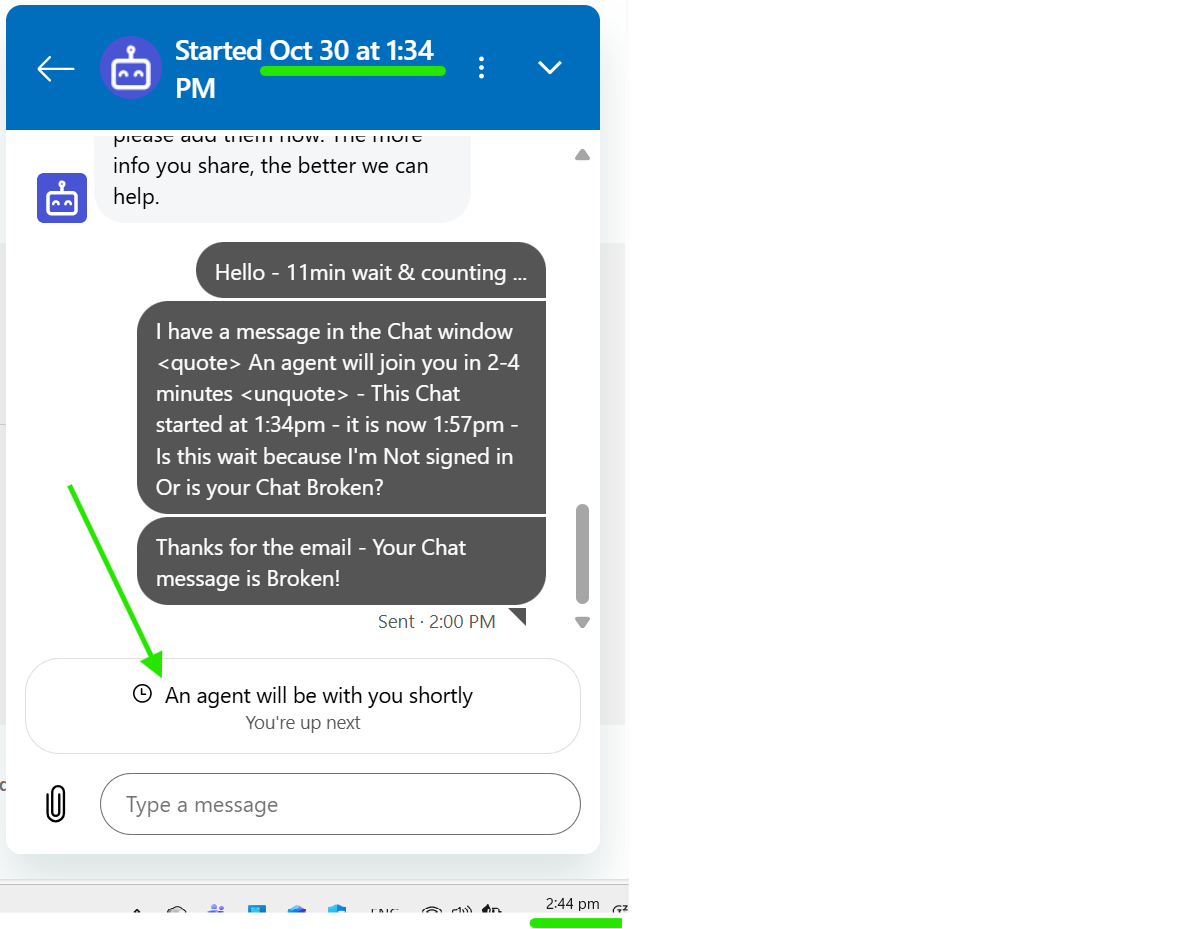
At this point I bailed out.
-
 Michelle
Trade Me staff - Community team
Kia ora S, thanks for getting in touch and letting us know, it's been passed on to the team.
0 -
S Community SuperuserEdited
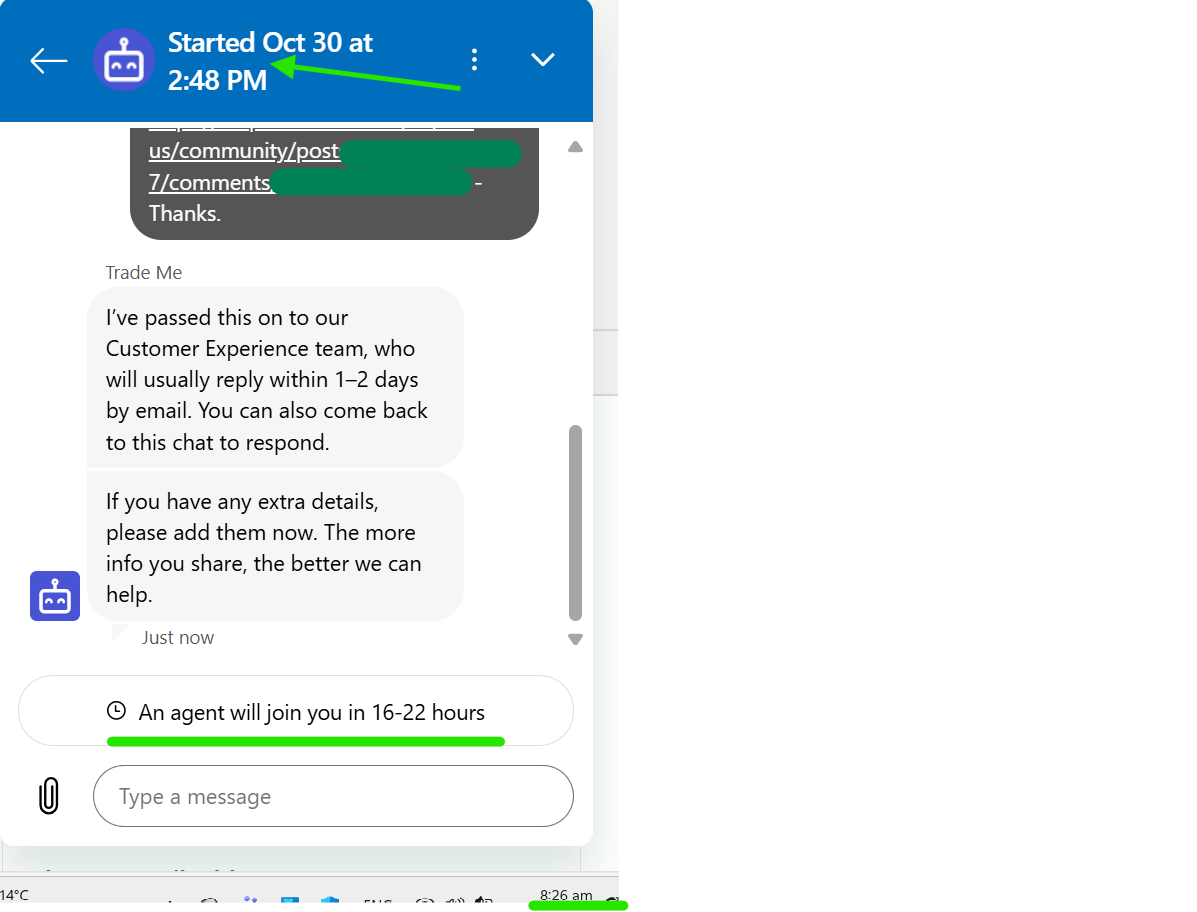
Example: This Chat was entered into at 8:26am on the 31st October 2025
 0
0 -
S Community Superuser
20 November 2025.
The Chat Bot windows are still appearing with the Green bar 'Your now online' & the Black bar "Offline - you won't receive messages" as per my alternate Post which is now archived.
I can report seeing Both the green & the black bars flicker in the window at the Same time also although I've not been able to capture a screenshot of this, as yet, as it happens.
Examples:
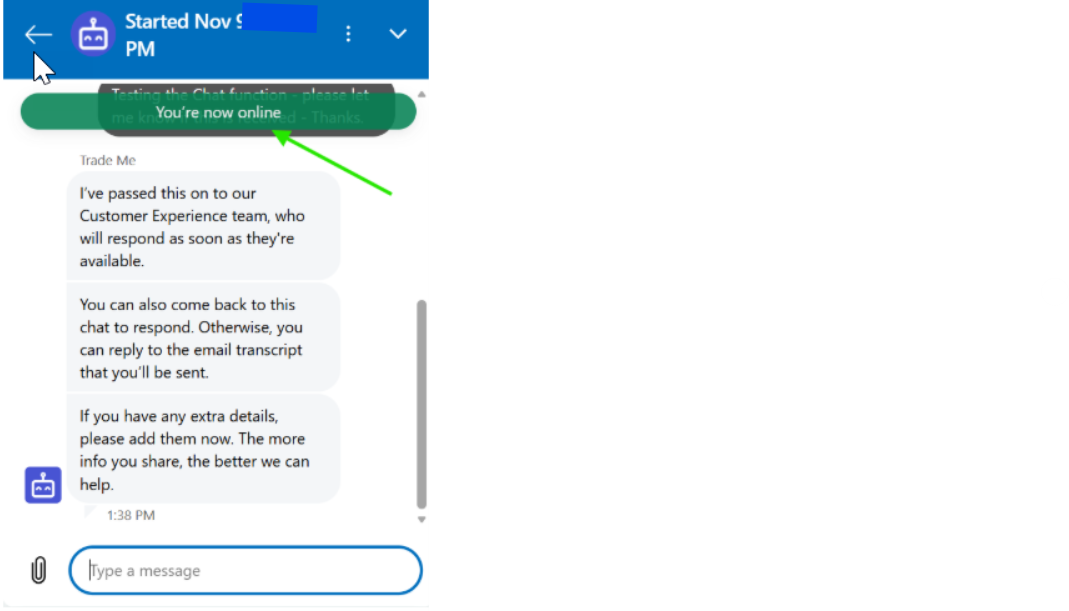

I sent a request through to the Team at 10:19am Thursday 20 November 2025 - it remains unanswered.
0 -
S Community Superuser
This was captured at 11:59pm 20 November 2025
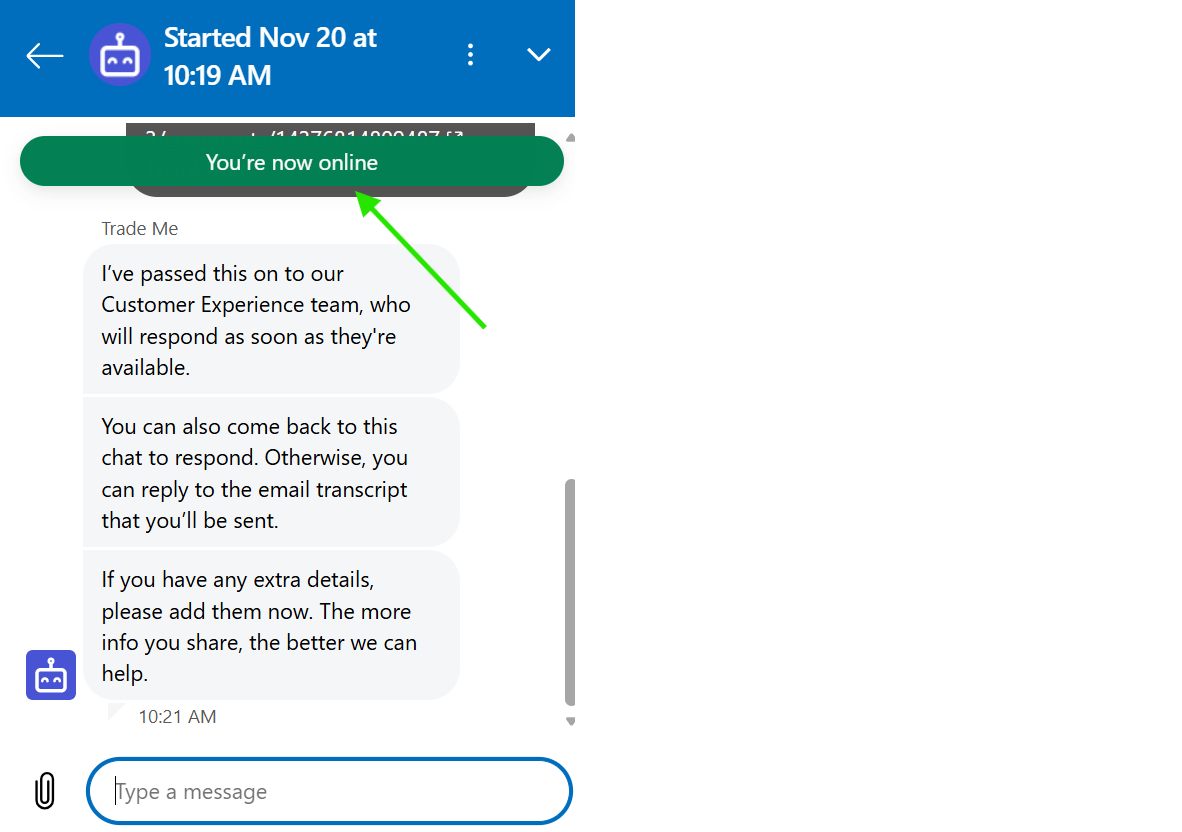
I am still unanswered by a staff member.
0 -
S Community Superuser
5 December 2025 - 10:10pm ish
The Black Offline message & the Green Online message Both appeared in a Chat Bot window - the window also displayed No Date or Time?
Example:

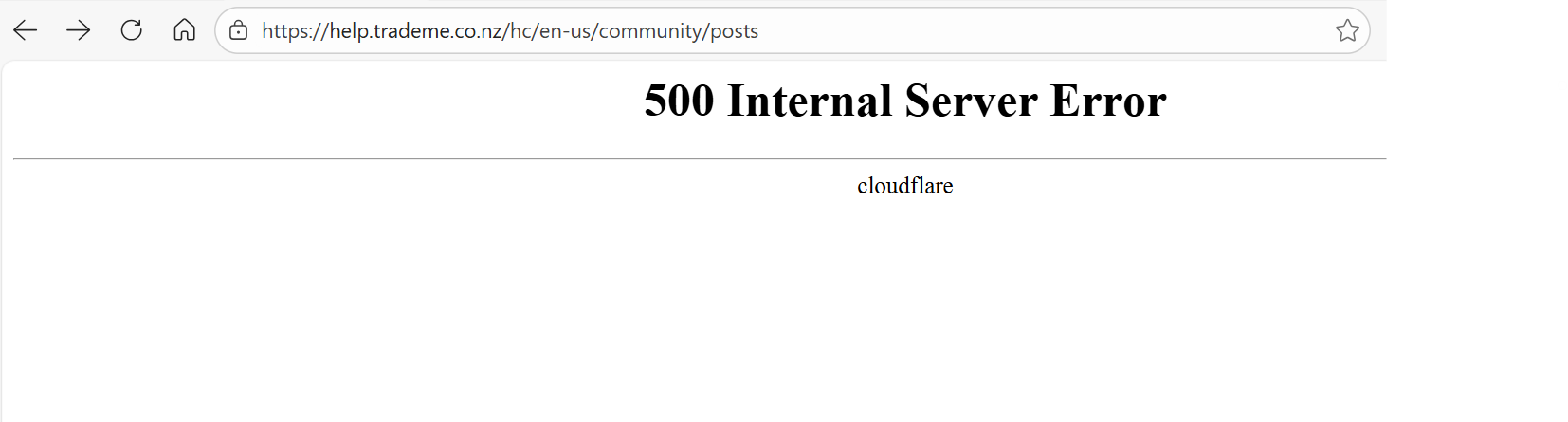
This followed refreshing a separate Post window which displayed the 500 Internal Server Error - Refreshing the page did not bring the Post page back - it returned the same 500 Error message - Page had to be closed and a New Post page entered
Example:
 0
0 -
S Community Superuser
18 February 2026
The Chat Bot window in the last couple of days I've noted is frequently refreshing the window as I've attempted to leave a message - this wipes what I have already written therefore I'm having to start afresh each time to the point I've had to copy my message at a certain point to paste it in and continue writing, then save, then paste after the next refresh & continue again several times before I'm finished & ready to send. - Desktop site - Edge Browser - Windows 11 - Latest up to date & cache/cookies cleared. Very unstable sessions and a most frustrating experience! - A heads up to staff here to look into. - Thanks.
0 -
S Community Superuser
18 February 2026
When I select 'Contact us' from the bottom of TM pages and when I select the 'Contact our Support team' from within the Help page search the Help file is automatically bringing up a full sized Bot window instead of just the speech bubble at the bottom right of the screen Therefore the Help page info' & instructions are potentially bypassed as the bot chat is entered into un-informed. Great for Members who know the context already though not so great as context can frequently be updated. - Yes! I can close the bot window to read the page. - Thanks.
0 -
S Community Superuser
5 March 2026
I have the Chat Bot flickering up both the green online and the black offline messages throughout the day and the Bot is still refreshing windows as I'm typing info' - back to save part of message to paste back in after the next refresh it does. - It's not a stable window at all.
0 -
S Community Superuser
13 April 2026
The Offline message has come up twice today - once the green online message appeared.
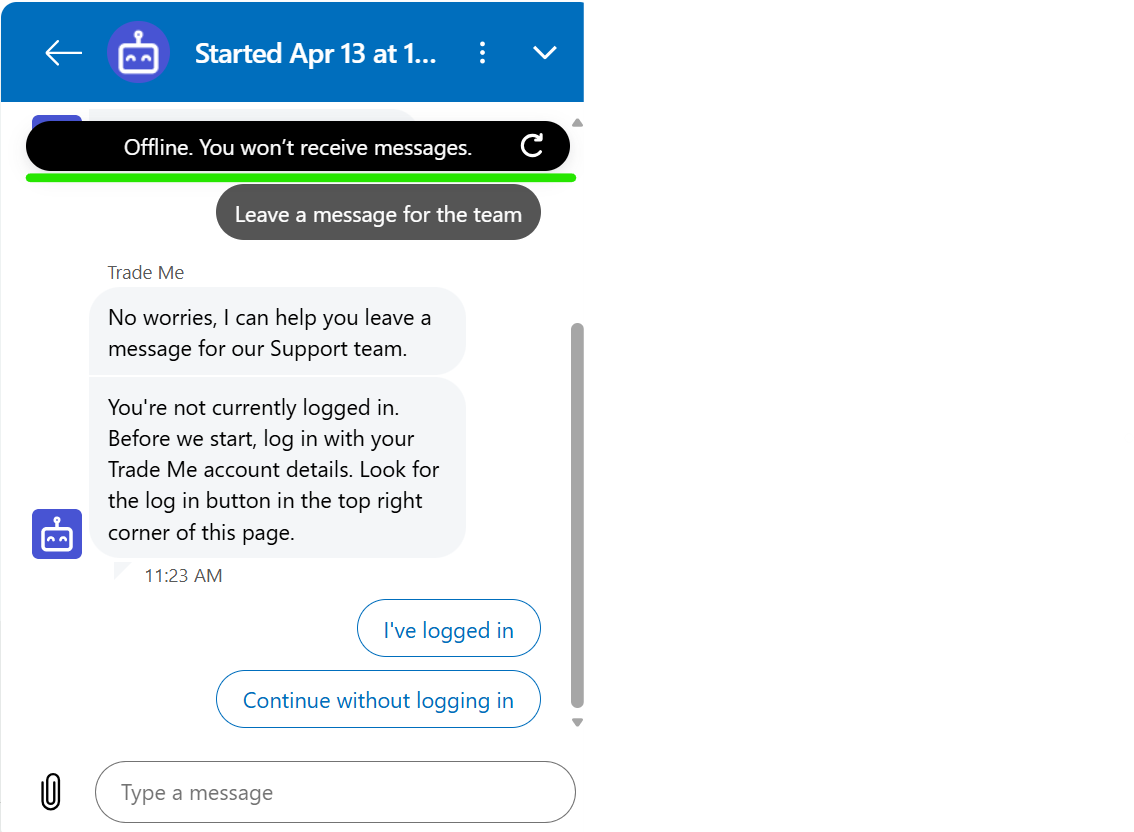 0
0 -
S Community Superuser
14 April 2026
The Bot window continues to refresh itself whilst ones mid typing, losing all info & having to start again - save what you've written at different times so when the window refreshes you can paste pre-saved info' in, type a little more, save again ready for the window to refresh itself again - So time consuming to get a message through especially when you want as much info' as possible!
0 -
 AJ Community Superuser
S, you could try typing it word or any other word processor first and then just paste in into the bot when done. I don't know if this would help, but hopefully would save some time & frustration
0 -
S Community Superuser
Cheers AJ,
I've started sending in segments of info' one after the other within the same request thread, today was 6 segments though I still got caught out with the refresh twice - your idea could work well though I've had the entire window just hang on me not long ago with the Bot interfering in attempting to come in and answer where it shouldn't have also & ended up emailing in through a previous transcript. - I keep reporting as I know others are experiencing similar especially with this Offline message. - I'll have a shot at pre-typing & pasting in and see how I get on. - Thanks for suggestion😊
0 -
AJ Community Superuser
Oh my gosh that sounds so frustrating. Happy to help and I really hope it works.
0 -
S Community Superuser
Thanks, I'll feedback after a trial run.😊
0 -
S Community Superuser
20 April 2026 - Update.
The Bot window is consistently refreshing itself whilst I'm reading the Bot responses - no info' typing in lost just selecting prompt boxes along the path, showing how unstable the Bot window Really is! - This occurs when the Bot gives a new response to a new prompt box selected as well - the response comes back and within a few seconds whilst reading the response the window auto refreshes itself. - Not a good experience at all.
0
15 comments
Date
Votes