I'm still getting email notifications when I have turned off Trade Me emails
Answered
-
 Callum Community Superuser
Hello Rick. Notifications are different to emails. Are you talking about on the App or on the desktop? Which emails in particular are you getting? Some critical ones will still come through that can't be turned off. Unless you close your account.
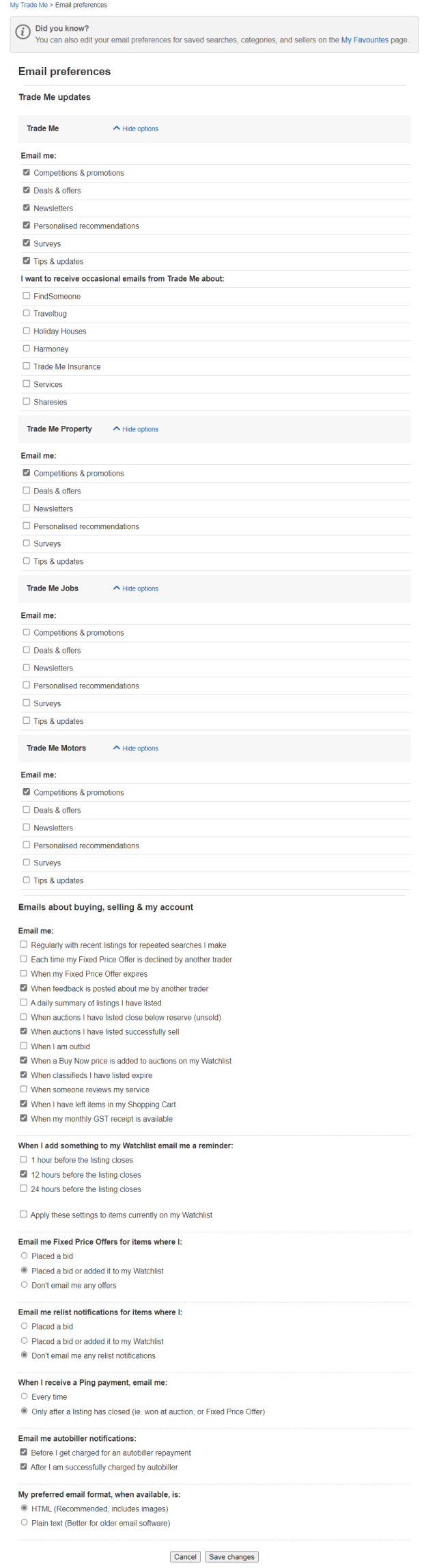
Some people miss that there are drop down menus within email settings, so make sure you click those to check as well
0 -
I still get emails for things i look at?
All links are turned off.0 -
I use the app
0 -
 Gary-NZStocked Community Superuser
What sort of emails do you get Rick? I've never received an email just because I have looked at something on Trademe, else I'd be inundated. Most emails should say in the email what the email is for eg The price has dropped, you have been outbid, don't miss out closing soon, closing in 12 hours, etc etc. Emails where you can change the frequency of receiving or opt out of from Trademe other than from Customer support or Community have a line at the bottom to unsubscribe or take you to your favourites or email preferences to manage them eg the ones below I just copied...
- Unsubscribe or change email frequency
- You're receiving this email because you're subscribed to receive competitions & promotions from Trade Me. Unsubscribe or Manage your preferences.
- If you don't wish to receive these emails, please update your email options .Some emails are4 essential so don't give you an option in the email eg sold emails, buyer address, Ping payment etc.
The list of emails to choose to receive or not is huge. There are 59 options to tick or untick once you expand the sections, so make sure to set them all.
 0
0 -
Callum Community Superuser
So are you actually meaning notifications within the app? Rather than emails? To turn those off you go to settings (gear cog) at the top right of your notifications page, and switch it to off. That's how it is for iOS anyway. Probably the same for Android.
0 -
I have unsubscribed to everyone but am still getting emails regarding things on my watch list not all things just a couple
0 -
No this is not what im talking about, i get emails and EVERYTHING is turned off.
Not all items but some from my watch list, this should not be happening all email contacts are turned off.0 -
Gary-NZStocked Community SuperuserEdited
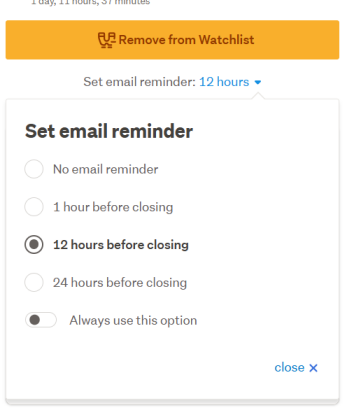
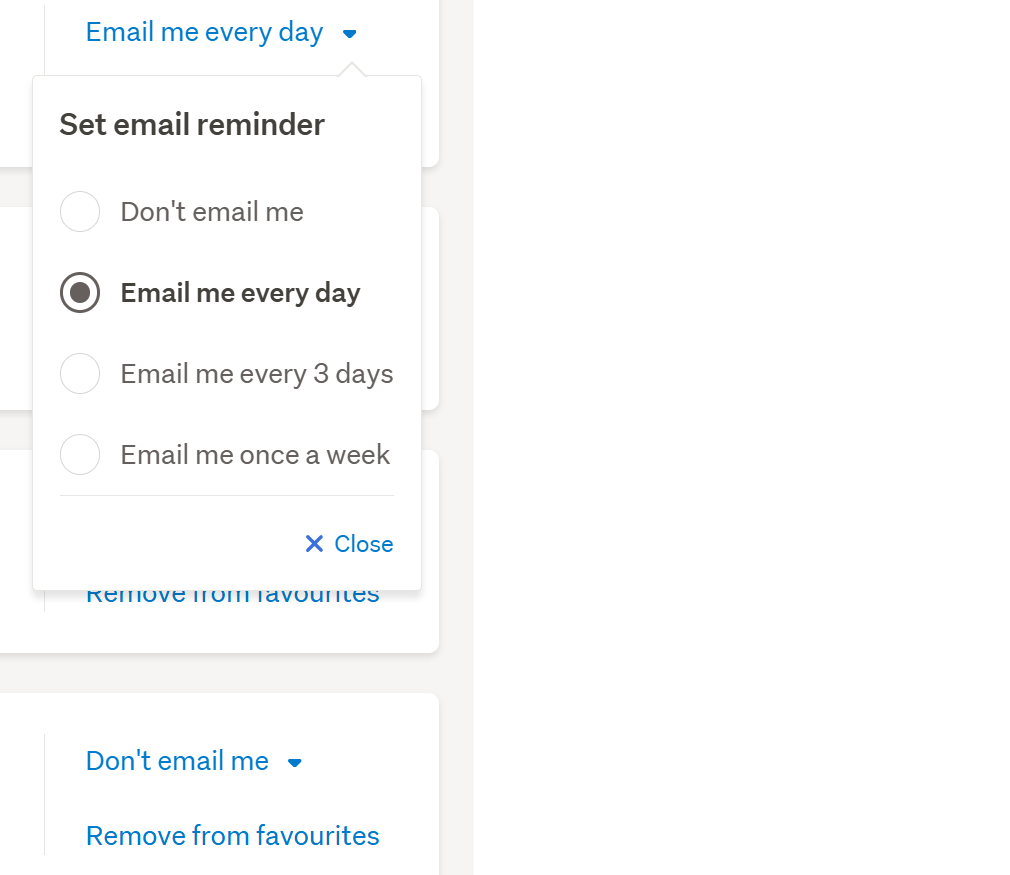
Rick, the ones that are giving you emails, go in to each one and click the Set email reminder link, then change to what you want. You may also want to click the Always use this option switch.
 0
0 -
I'm also getting unsolicited emails about deals.
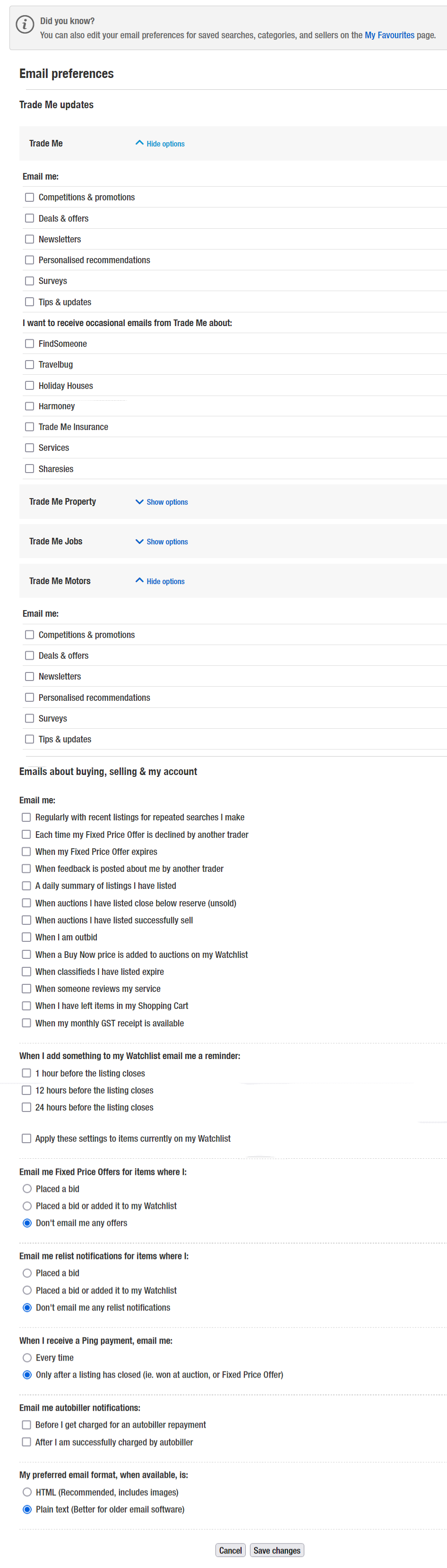
In the "Emails about buying, selling & my account" I have all the 'Email me:' options are unticked (NO TICKS).
The "Fixed Price offers" are "Don't email me any offers"
The "Email me relist notifications..." are "Don't email me any relist..." (Radio button)
Ping option is "Only after listing....." are "Only after a listing...." (Radio button)Is there any other place where there is a very hard to find setting that I need to TURN OFF to get a rest from TradeMe?
So I now consider this as TradeMe spam. And it pisses me off, along with all the adds they have started to insert everywhere on their site.
0 -
Callum Community SuperuserEdited
Hello Kurt. Refer to the screenshot above from Gary. You need to switch off the promo emails if you don't want those. They are on a separate drop-down menu. It's hidden until you click it.
PS: If you don't want to see ads, you can use an adblocker. They are free and effective.
0 -
Yep! I've looked at Gary's screen shot but I don't see any tick boxes that I haven't turned off. I must be going crazy.Here's my screen-shot. Please explain the exact process of stopping furrther unsolicited email from TradeMe.
Thanks.
 0
0 -
Further more, the unsolicited email I get from TradeMe has a "Unsubscribe or change email frequency" link on it but clicking it doesn't take you to a web page that enables unsubscribing to the specific email type that the link was on. It takes you to the Favourites page with the same stuff that the email had on it plus a link to "Manage additional email settings". Nothing to do with the unsubscribe.
Who's idea was that? TradeMe really needs to look at the user experience. I'm going off TradeMe as a company.
0 -
 KurtEdited
Callum,
I recieved an email from Customer Support just now with a suggestion that doesn't add any help. When I click on the Customer Support "View the comment" all I get is
I have already done exactly as suggested and double checked the process several times. Still no solution.
How about showing the navigarion path to find the setting so I can turn it off.
Just FYI. I've been in IT for over 40 years and have developed software that has been run by multinational companies for decades. I have designed and coded application systems from PCs to Mainframes. I shouldn't have this problem with TradeMe.
0 -
 S Community SuperuserEditedKia Ora Kurt,You are getting the Error 404 page because I deleted my earlier comment when your second comment was released out of Pending status by a TradeMe staff member a couple of hours after you had written it & after I had first replied to you, therefore your second comment wasn't available for me to see at the time I had initially replied. - This Pending hold status is also extremely frustrating when trying to give help!Sorry for the confusion caused However I am a member just like you - I'm not TradeMe staff.It looks like some work has been undertaken in the Favourites categories - can you put a screenshot up of the options next to any of the items you have saved there for us to see?Using the Desktop site in my Favourites I don't get to see any items, I have to click into each saved one to view the items - I am given options next to each saved favourite to choose my email frequency Or Remove from favourites as below...
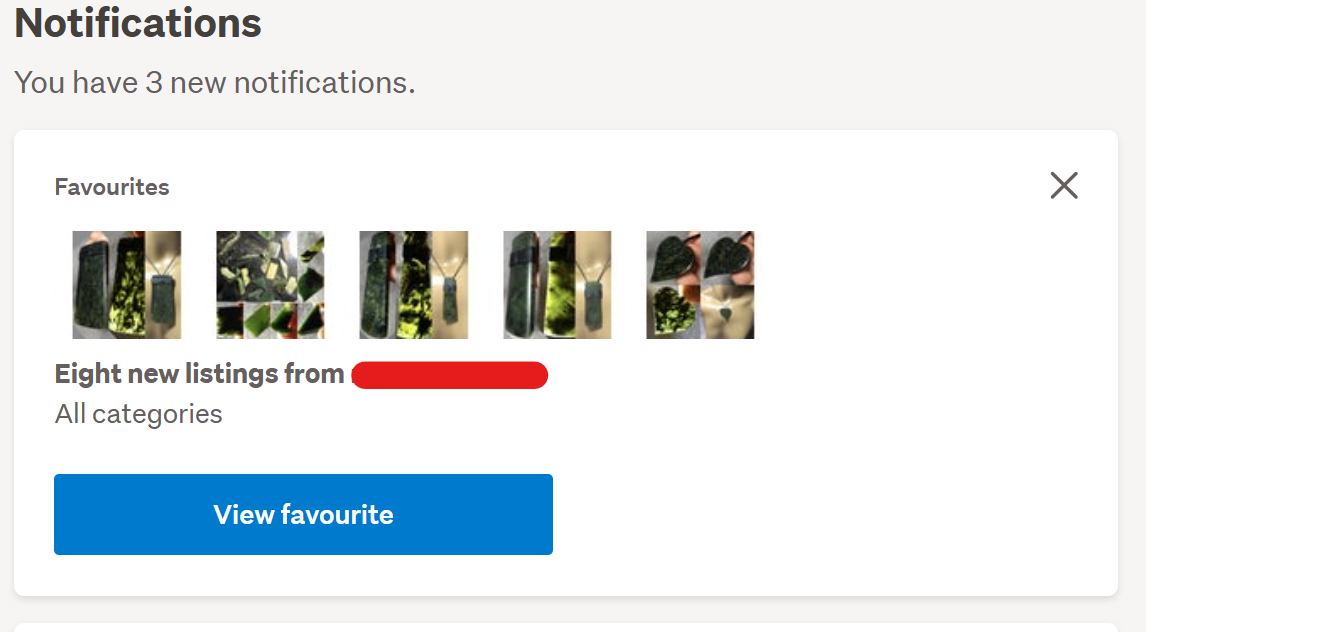
 The only place I see actual items without clicking into any saved Favourite is in, again on the Desktop site, my Notifications of saved favourites as below...
 What are you receiving on your Landing page after selecting the Unsubscribe Link?Can you change the frequency of emails to Don't email me or a different option?0
 -
Gary-NZStocked Community Superuser
Kurt, since you are being directed to your Favourites page from the email link, it suggests there is something in your favourites that you have maybe mistakenly saved as a search or a seller you have saved. The email should be a clue as to which tab in your favourites you can use to find the saved item is in. Once you know, you can adjust the frequency of emails you get, set it to none or even delete the search/listings. The frequency of emails for saved items needs to be set PER item, so if you have 100 fav sellers that you get emails for, if you no longer want to receive any of those emails you need to set the frequency of emails for each one individually. I have a purge every now but it can be a very lengthy process if like me you have 1567 Favourite sellers.
Emails will say this in them...Today's listings matching your saved search for {search terms here}
or New listings from {membername here}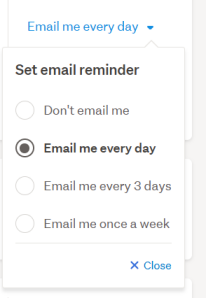 0
0 -
S Community Superuser
Yes! that's exactly where I was at though what I don't get is Kurt's statement <quote> It takes you to the Favourites page with the same stuff that the email had on it <unquote>
How do you know it's the same stuff when there is no picture view in the my Favourites And how do you miss the Email Frequency & Remove tabs!
TM have made changes to Favourites - there's now a drop down box under the Searches Link itself which allows you to choose a selection of individual search from the main 4 sections or All, as below...
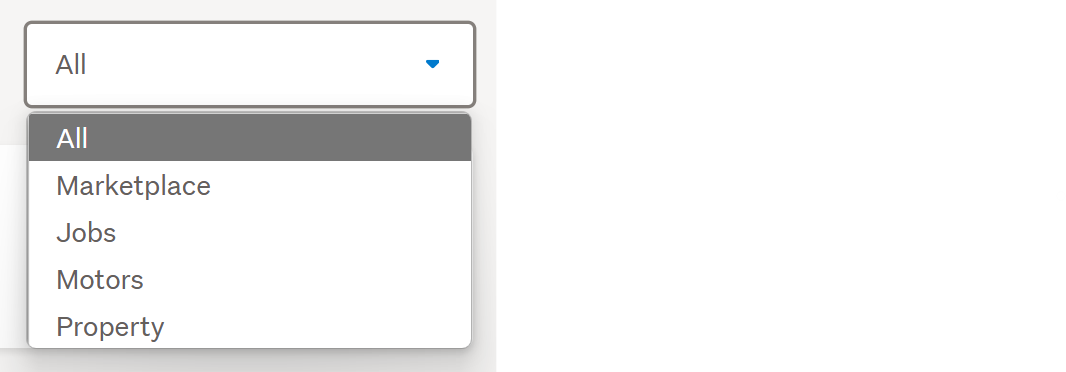
I'm wondering if the work that's being executed behind the scenes has different Members seeing different views & maybe directed from these emails to the Notification Favourites which have the pictures & No Email Frequency Or Remove Tabs - Stranger things have happened! - Cheers.
0 -
Okay, here the lates update.
The link on the "Unsubscribe" on the emails I get is: https://www.trademe.co.nz/MyTradeMe/Favourites.aspx
And yes, there is a drop down list. Mine is ticked for All as your sample above. There is no 'None' option.
My Favorites settings are:
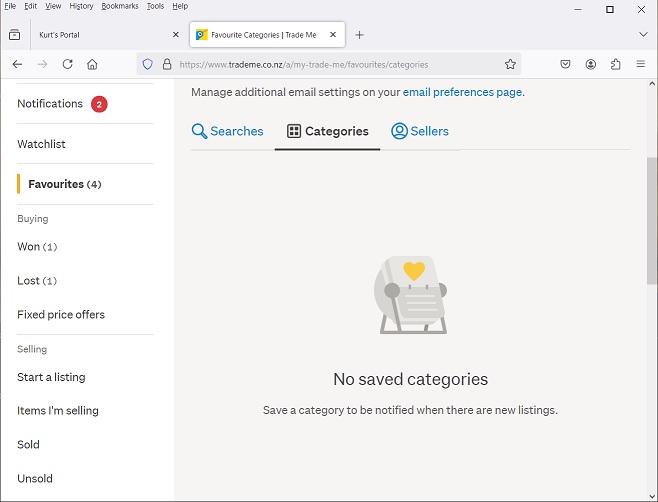
and
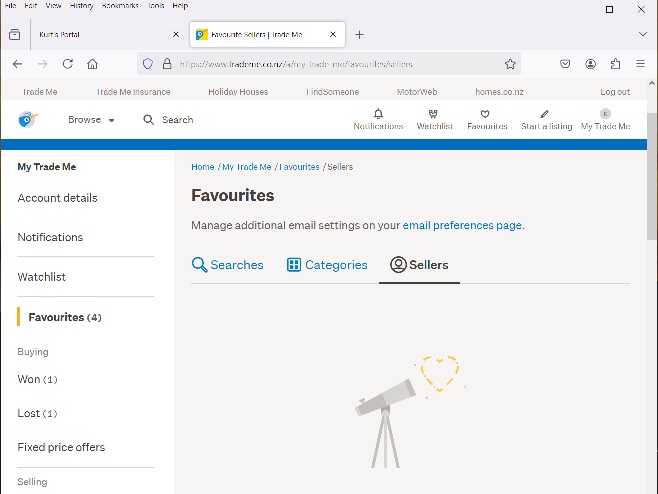
This is on my Win10 desktop.
I finally found the setting that says "Email me every day". I've turned it off so hopefully that's the end of it.
However, when an email gives you an option to 'Unsubscribe' then the link from there should be to a page that either asks if you really want to unsubscribe or a "done" response. The idea that a user has to spend days trawling through a network of pages, particularly when there is one specifically for "Email" settings is rediculous. This ought to be brought to the attention of the Department of Internal Affairs as there are laws in New Zealand governing unsolicited emails. And, I'm amazed that a company like TradeMe isn't more open with their members and customers to make these things easy. The fact is I never set things to email me every day. Why would I do that when I'm not actually in the market for the item and am only doing price checks.
Thanks for your prolonged assistance. Where are the techies from TradeMe on this help site?
0 -
Gary-NZStocked Community Superuser
Glad you got that sorted. There has been a fault for years when you add a Trademe Store to your favourites that there is no option to adjust the frequency of emails like there is for general members. The default when you add a TM Store to your favourites is to receive an email every day, so you then have to go in to your favourites and adjust things individually. TM Stores landing pages are quite different to regular sellers and don't have an add to favourites button at all on their new format Store landing page, but do have a Add as a favourite seller link in all of their listings and on their old format Store landing page. It just depends what links you click on to get there as to if you are presented with their old format or new format page, so it's all a bit hit and miss.
0
18 comments
Date
Votes