How to disable Afterpay in My Products?
Answered
I accidentally enabled Afterpay in My Products and can't find a way to disable it.
NO I DON'T want it. I really don't want it.
Help please?
-
If you accidentally clicked that button on top of My Products, I don't think there's a straight forward way to reverse that, TM only provides a one way traffic way to enable for all listings, but no way to disable for all listings.
But you can still do a bulk update (provided you have a somewhat uniform payment methods accepted across all products), or you can probably update by bulk upload using a CSV file. Both of these ways are too complicated for me to teach you in this reply, you have to go searching for them in the help section (good luck on finding them).
1 -
Hi, thanks ... hopefully the bulk update fixed it. Gah, wish it was a bit more intuitive.
I've just checked and bulk update has seemed to fix it! Thanks for your help.
0 -
 Gary-NZStocked Community Superuser
Like Arthur says, you can bulk edit payment instructions if you have them fairly similar or identical to each other.
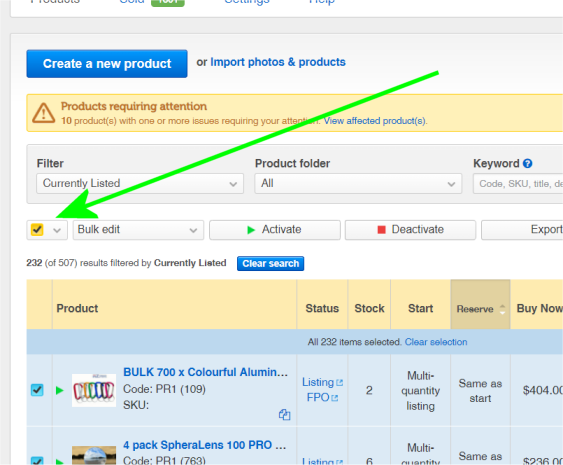
Click the box to select all.
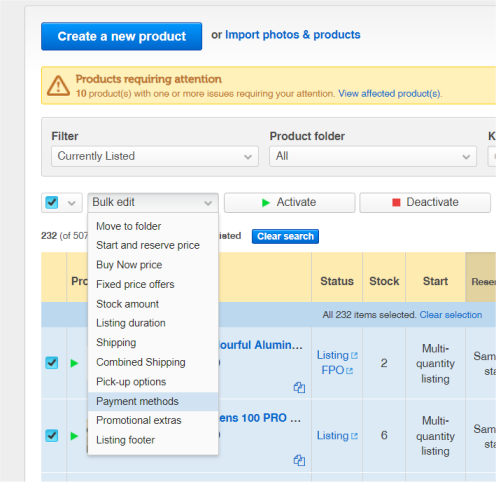
Click the dropdown to change Bulk edit to Payment options.
Select all the payment options you want, including manual ones, then click the tick boxes as below.
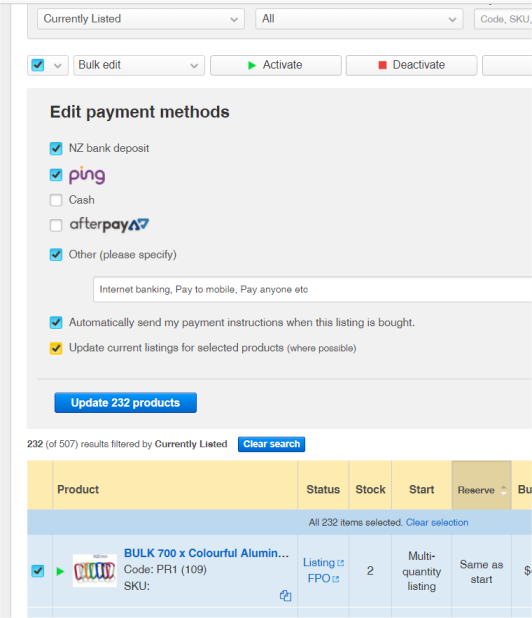
It can take a while to update current listings in the background.
1 -
Did you actually activate it? My listings suddenly came up with AfterPay a while ago and I don't believe I activated it. Got in touch with Trade Me who eventually deactivated it from my listings, took sometime though.
0 -
Yes I did activate it - and then spent about 15mins trying to find out how to remove it before posting here. It keeps displaying at the top of the page (annoyingly) and I accidentally clicked on it instead of the link I was intending to click. I've done a bulk edit and redefined my payment options and it seems to be OK now.
0 -
Yes this button is truly annoying .. have accidentally hit a few times now. Trade Me needs to remove it, it's a trap. Just like chocolate bars at the counter...a trap I say!!
0 -
Gary-NZStocked Community Superuser
If you use ABP or UBO adblockers, you can block just that element by adding this to your custom block rules using the pick tool.
sell.trademe.co.nz##.include-foundation.notification-bar
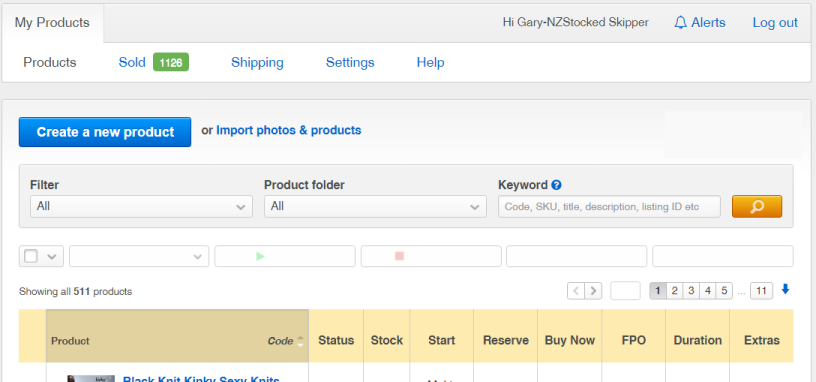
so your screen changes from this...
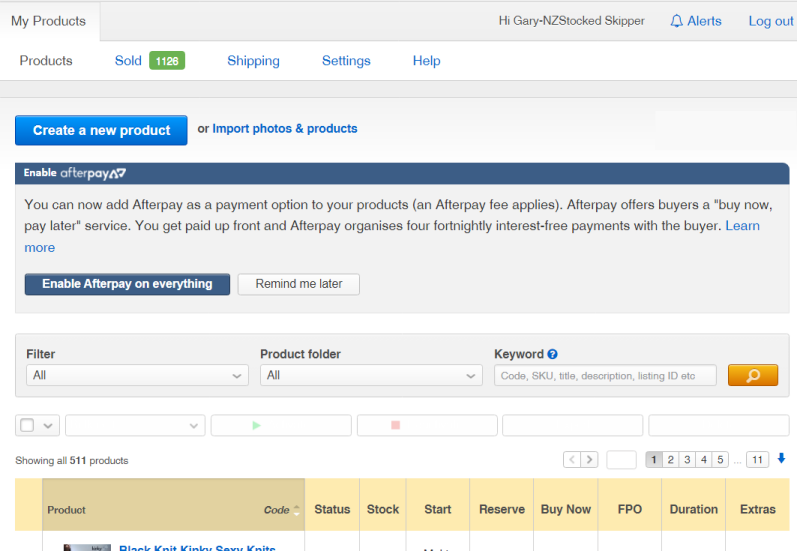
to this....
 1
1 -
I never enabled Afterpay as i do not agree that the seller should have to pay even more fees for this service. However, had just had someone pay by Afterpay.
I use MyProducts and I have just checked my listings and they all have the Afterpay option.
This is so wrong - how could this happen?
Not happy!0


8 comments
Date
Votes