"Delivery option is not valid" for quick relist
Answered
Anyone know why when I try to do bulk quick relist I get a message saying some can not be relisted due to "Delivery option is not valid"? Have to go into each one and individually relist and I change nothing. Rather annoying if you can't use the option effectively. Time consuming going through relisting invidually for what. Postage options are there.
-
 S Community SuperuserEdited
Kia Ora jermzz,
As categories are now being transferred across to the New system as part of the continued upgrades pre-existing listings being relisted in those categories need to pick up the new shipping format - hence manually relisting those that are flagged by the system without changing a thing.
This is meant to be a once off manual process though in practise some Listings aren't picking up the new platform shipping template, needing a manual relist till sold, TradeMe staff have advised to create these ones as a new listing, in this case a copy and paste of your info over to a new listing will save time.
0 -
I have a similar problem, I can't quick relist anything. I have to choose 'edit', go though the five pages of options changing nothing before it will relist.
Also I can't have a shipping option for customers to buy different items with one postal fee. This is confusing to many people and deterring potential customers (based on questions I get which don't result in a sale).
Here's an example of one I'm trying to relist:
https://www.trademe.co.nz/a/marketplace/home-living/outdoor-garden-conservatory/plants-trees/tropicals/listing/6110298604I'm using Chrome Version 103.0.5060.134 (Official Build) (x86_64) on Mac OS 10.12.6
Any help would be appreciated.
Cheers!
0 -
S Community SuperuserEdited
Kia Ora toddsbroms,
Manually relisting each listing that has been transferred to the new platform as you are doing is meant to pick up the new shipping template of the new system, in practise this is not always the case.
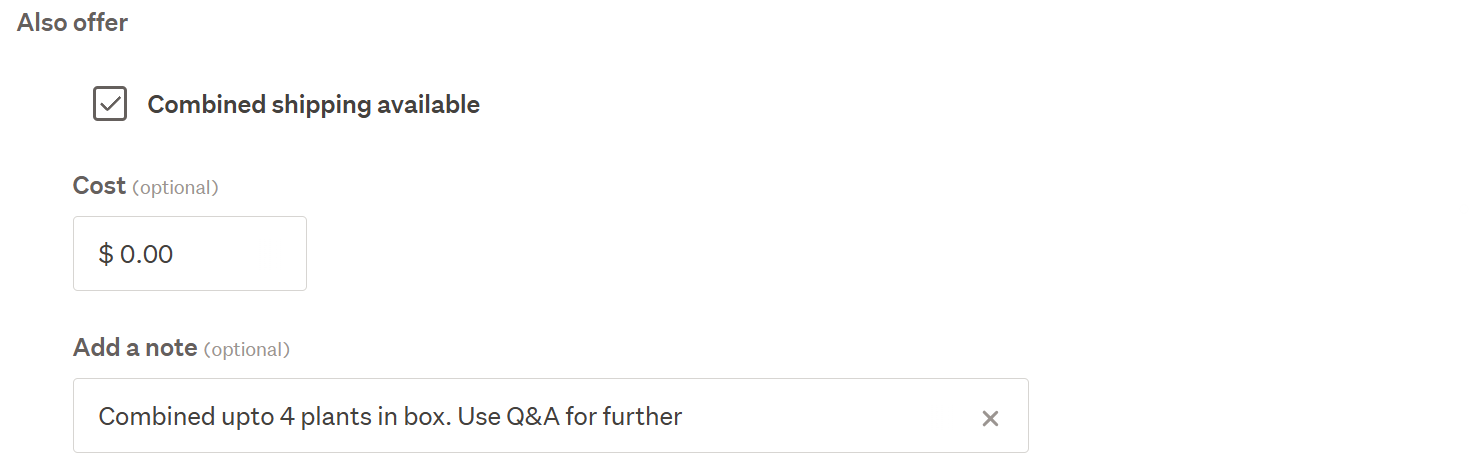
With the new shipping options there is now a combined option with a free text field on the Price & Payment page below the quoted or specified shipping options, this is limited to 50 characters.
Example:
 0
0 -
Thank you for your reply. I appreciate your help. I tried looking at the link before I asked my question but it appears to be broken - 404.
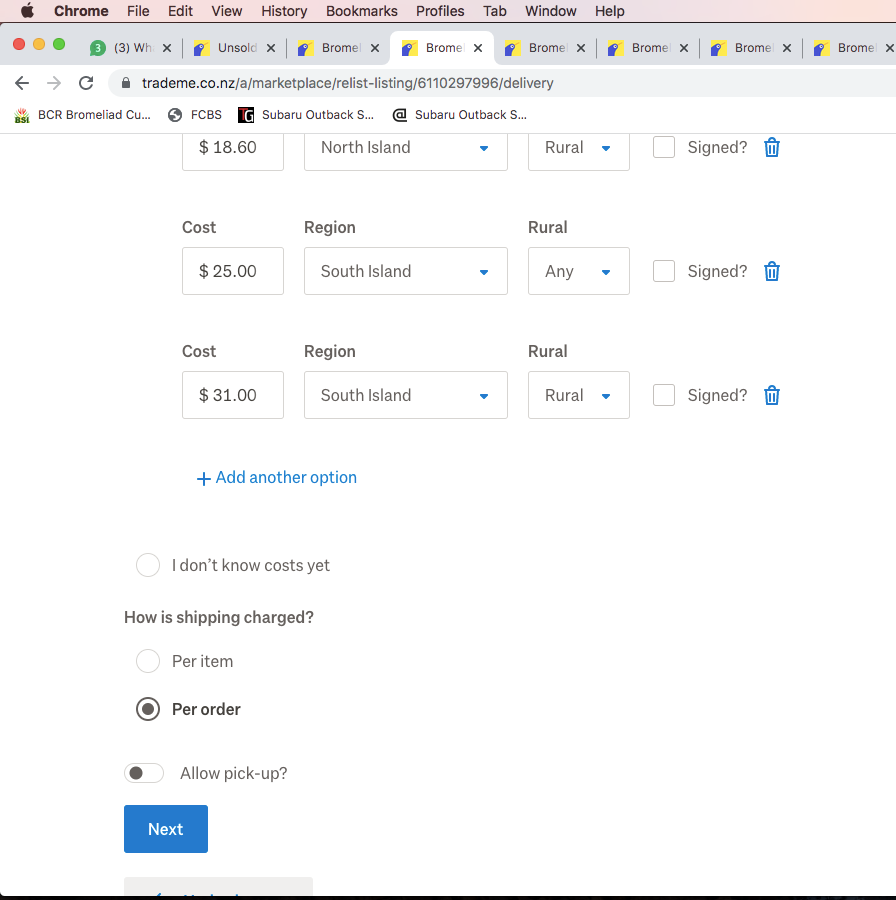
I've just relisted some unsold items and was able to add the combined shipping option to one listing, but it wasn't available on any of the others. It may be coincidence, but the one which had the combined option was for a listing where only one item is available. All the others looked like this:
 0
0 -
S Community SuperuserEdited
Thanks toddsbroms,
A staff member has archived the Post to the link I placed hence the 404 error you're seeing so I've removed it.
I see you're using a listing tool, your listings are currently reflecting very clear shipping instructions & option selections. With the relisting trouble you can create a shipping template which has the " + Add combined shipping option." to select and the Buyer sees "Combine with another item you've paid shipping on" in your listing which you can set to the $0.00 you're wanting. You can setup a few different shipping templates depending on your criteria however you won't have the free text fields once you make a switch to templates. Buy Now only listings through a listing tool are required to use the shipping templates.
Reference: Shipping Templates – Help - Trade Me
0

5 comments
Date
Votes