Relisting Bug?
Answered
I am trying to relist 23 items that have expired. Trade Me rejects most of them with a message like "Cannot relist as all 23 items are relisted" (or similar). But they are not. Only 11 existing listings appear in my Selling list. These others appear to be lost in the ether! Thoughts? Thanks, Roger
-
 S Community Superuser
Kia Ora roger_269,
Yes! you only have 11 Listings showing, may be a silly question but are those listings within side of 45 days since last expired? - Can you pop a screenshot up of that message you're receiving please, that would be helpful - Cheers.
1 -
Thanks for trying to help.You can see the erro rmessage at top of screen.Very frustrating. Cheers, Roger
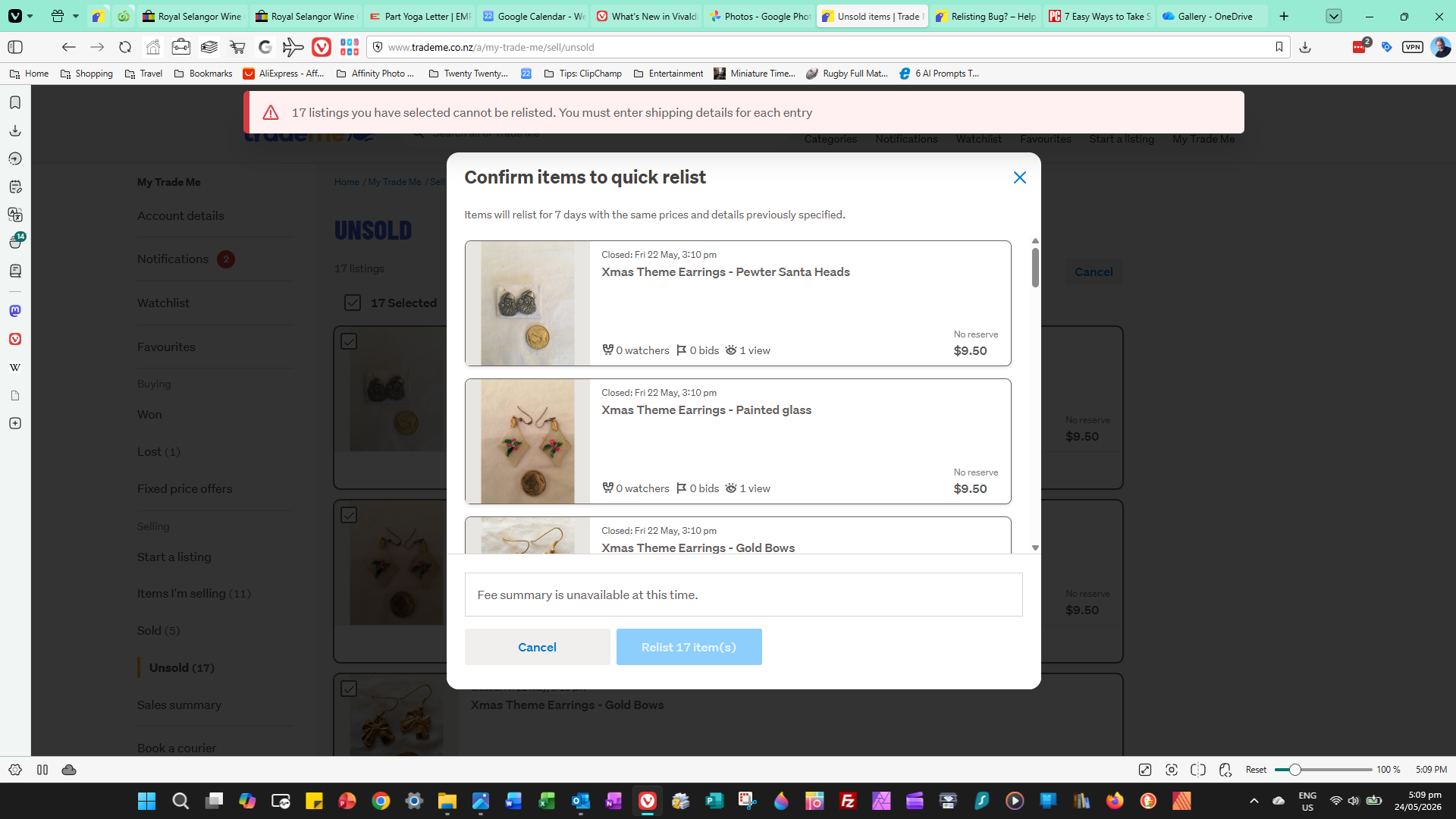 0
0 -
All are well inside the 45 day expiry limit - although become so if this keeps happening every time I try to re-list. I can go into each listing and just scroll through all the steps (changing nothing) and then Trade Me updates the single listing. But, very time consuming!
0 -
S Community SuperuserEdited
Thanks roger_269,
TradeMe have changed the shipping options to a more structured option selection, it's likely what is happening here is the system is looking for the updated shipping set up. The notification came in response from a staff member in the comment made below...
https://help.trademe.co.nz/hc/en-us/community/posts/15913288575631/comments/15943839853071
Unfortunately it would require a listing by listing step to get them relisted initially however once done you shouldn't have this happen again on the relists and of course not on new listings created.
I take it the same happens on an individual Relist also as opposed to a Quick relist of several listings. - Cheers.
1 -
Thanks S. Yes, happens on an individual listing too. But only on Quick Relist. Interestingly, if you open the individual listings and just go OK on all sections (including shipping, without changing anything), then go live it works just fine. Cannot figure out why that can happen. Anyway, I'll just go through and revive each item now.
1 -
S Community Superuser
Cheers roger_269,
There will be a step in the background which picks up the new shipping template, applying it to your listing as you're processing the Ok. - Thank goodness you only have a small number to action there! - All the Best.😊
0
6 comments
Date
Votes