BAD BUYERS THAT WASTE OUR TIME
Answered
-
 Callum Community Superuser
Hello buzzybee12. Trade Me still appreciate getting the heads up when there is a trader that they should be made aware of. You can contact them at the bottom of any page (including this one)
You can of course request your fees back and leave appropriate feedback. But I'm sure you're all over that already.
1 -
 S Community Superuser
Kia Ora buzzybee12,
Sorry to read you've been mucked around with that Trade,
Yes! when you apply for your Success Fee refund TradeMe can contact the Buyer in attempt to get the Trade back on track However in this case, as you know the Trade won't be going ahead and with the correspondence you've suggested you've received it pays to take a screenshot of this and report the Member direct to staff enabling them to monitor the account behaviour coming forward. - Don't forget to add them to your Blacklist disabling them from bidding / buying your Listings and from asking questions coming forward also. - Cheers.
1 -
Yes that’s what I’ve done in the past & it gave me an option to report the buyer. I’ve searched everywhere & I can’t find where this is done now
0 -
S Community Superuser
Thanks buzzybee12,
Is your reference number a P or KP number?
The process remains unchanged however with the new KP Reference numbers this still has to be programed in. - You can report and Apply for your Success Fees through the Link below... Or by going through the 'Contact us' link at the Bottom of the 'Apply for a success fee refund' Help page, the Chat Bot has been set up to help with processing these refunds - follow the text prompts.
0 -
I’ve had my success fee refunded but there’s no where to get trademe involved.
0 -
For some reason I can’t even blacklist anyone. I’ve tried using the app & the full website version but still there’s no option to blacklist anyone. You use to be able to go through settings &
Blacklist but that’s gone too0 -
S Community Superuser
Cheers buzzybee12,
Great to read you've got your Success Fee refund,
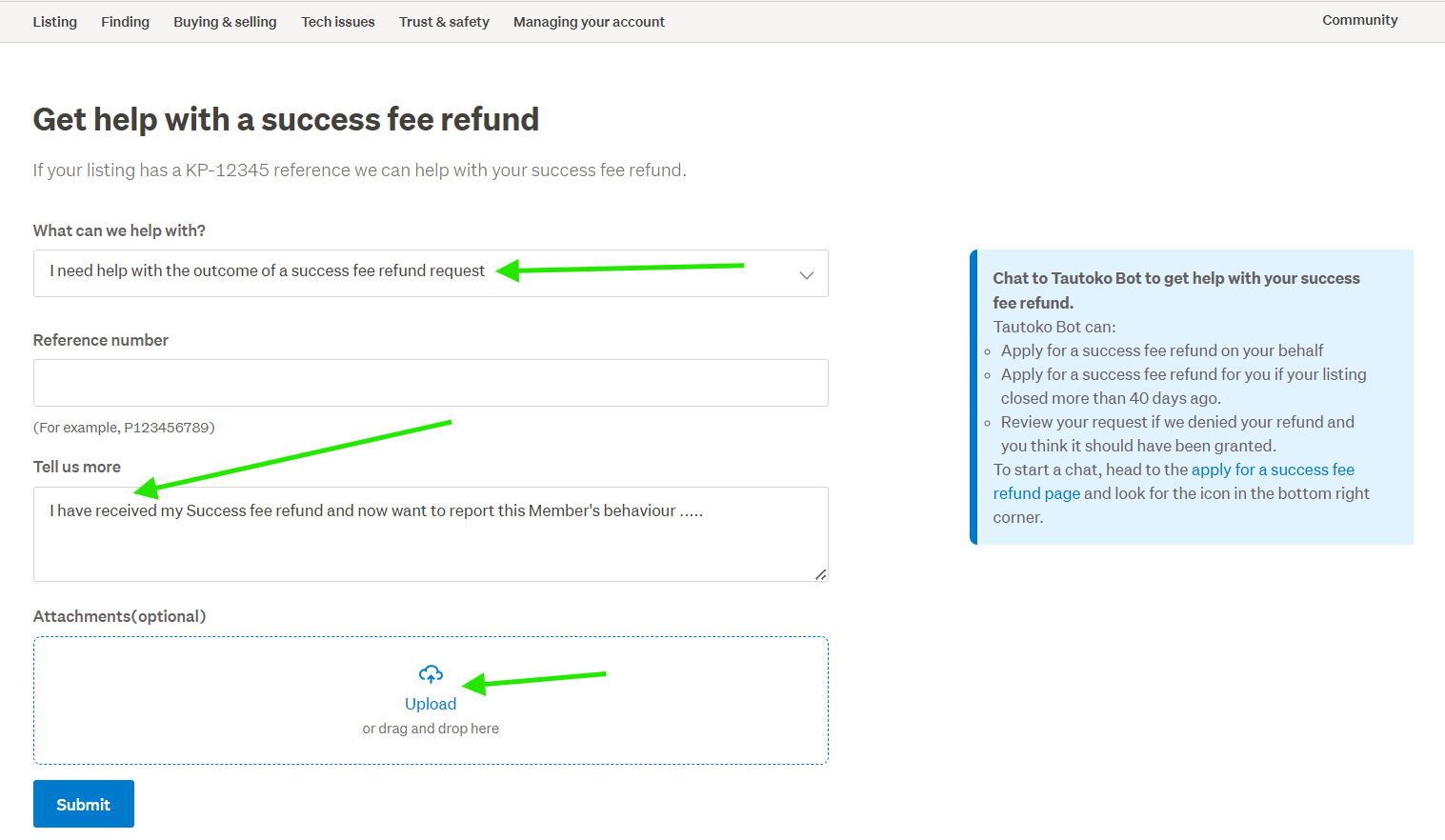
If you go through the link I placed to 'Submit a request' you can let staff know you have been refunded though wish to report the Member's behaviour ... and upload your screenshot files of the correspondence you've had.
To Blacklist the Member, on the Desktop site select 'My TradeMe' Top Right of the page > scroll down the Left hand side Banner menu and select Settings > Scroll down to Selling options, you will find the 'Add a member to my blacklist. - This is available through the Android App also but not the iOS as yet.
Example:
 0
0 -
S Community Superuser
If you can't find the Blacklist option on the Desktop site double check you're running the latest up to date browser - try clearing your cookies and cache incase there's a redundant one interfering. - Cheers.
0
8 comments
Date
Votes