Error in PING payment journey on main site

I've been trying to purchase a BUY NOW product online.
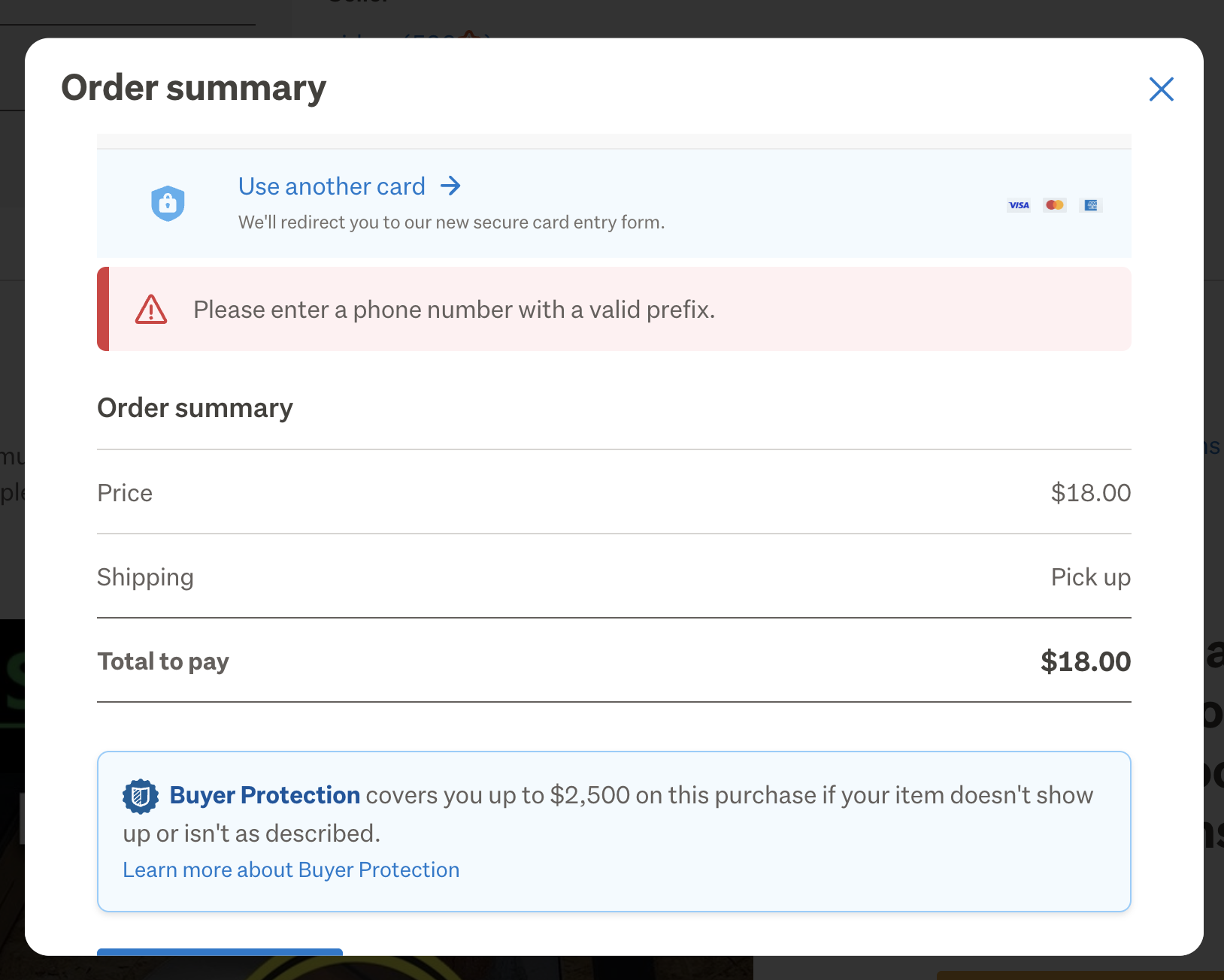
The error appears in the Order Summary pop up window. "Please enter a phone number with a valid prefix"
Clicked BUY NOW. > Clicked I INTEND TO PICK UP as delivery option > PING as payment selection > Clicked COMPLETE ORDER and the red error box pops up and doesn't allow me to complete transaction.
I've used PING multiple times before successfully. All my contact details are valid and up to date. This error box doesn't allow any contact number to be changed, despite the request - no live window to enter one - and it shouldn't need one anyway.
I have had to go onto the mobile app to complete the transaction and this went through successfully.
Any reason why? This likely needs to be resolved for the main site as it blocks transactions.
-
 Michelle
Trade Me staff - Community team
Kia ora Graeme, good to hear you managed to successfully complete your purchase via the app. Was your original attempt using the desktop site? Can you check that your computer's date and time are set to automatic and NZ time.
0 -
Yes it was the desktop site. Yes all the date and time settings are accurate. It's strange that the mobile app would work but not the main site on my desktop
0 -
 Callum Community Superuser
This issue has come up before. It was marked as answered, although there didn't seem like a definitive fix to me. Maybe simply deleting your phone number was the way to resolve it.
0 -
Callum Community Superuser
Hello Tony.
You can join in the discussion here
0
4 comments
Date
Votes