How to locate the CSV listing style for sold items
Answered
Hello,
Whenever I go to the Sold section it brings up a list of sold items with photos, etc. However, there does not seem to be a download CSV option. I struggle to get it to the page where it is only the listings with no photos and has the download CSV feature.
Thank you
-
 Callum Community Superuser
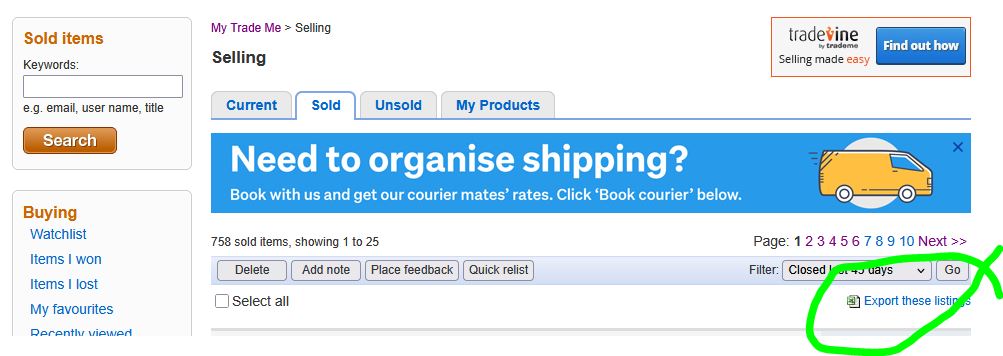
Hello Dee. Here? You may need to switch over to "Desktop site" Link at bottom right.
 0
0 -
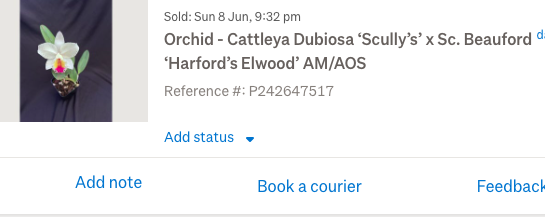
Thank you for answering me so quickly. I am on desktop site and if I can get it to open with the export listings page then I can export. However, getting it to open with this view is the problem. I have to keep going off Sold and opening other pages and coming back and then eventually it shows up as listings with the export feature. Most times I get a page with the listings showing as below with no export option anywhere. I've taken off the buyer details for privacy.
 0
0 -
Callum Community Superuser
Yes, this is the "new look" or "mobile" sold page.
As per my previous message you should be able to hit "Desktop site" at the bottom of that page to get it to swap over to the traditional view where you can download summary.
0 -
 Gary-NZStocked Community Superuser
You can also copy and paste this to the address bar in a new tab, and bookmark the page.
https://www.trademe.co.nz/MyTradeMe/Export/MyListings.aspx?ListingType=Sold&filter=all
Same for exporting Current listings, as below
https://www.trademe.co.nz/MyTradeMe/Export/MyListings.aspx?ListingType=Current&filter=all
0 -
Hello Again,
Thank you so much for your help. The links helped and I have managed to convert it to the desktop site. All the issues solved.
Thank you very much.
0
5 comments
Date
Votes