Not able to pay with Ping
Answered
I'm trying to pay an order using Ping, but it keeps stating "The 'Pay by other means' option is restricted to authenticated members. ".
I'm not quite sure to understand as I'm not trying to pay "by other means", but with Ping...
-
 S Community Superuser
Kia Ora Etienne,
Did you select a 'Buy Now' option or have you just won an auction?
If you use the Buy Now feature & purchase using Ping you become authenticate Otherwise you can Top up your TradeMe account with $1.00 to become Authenticated & be able to pay using Ping - Cheers.
0 -
I selected the "Buy now" option, and tried to pay with Ping and my Visa Card. And each time I click on "Complete order", a message pops up, stating: "The 'Pay by other means' option is restricted to authenticated members. You can either purchase this item using a credit card, or become authenticated by crediting your account with $10. "
I don't understand this message as I'm trying to pay through Ping with my credit card, not "by other means"...
0 -
S Community SuperuserEdited
Kia Ora Etienne,
Yes! that's a confusing message to receive,
A few things to try...
- Double check the Ping Instant payments has the darker black line surrounding the box - you want to ensure it's selected.
- Is your credit card pre-installed in your TradeMe account? - If not try entering it in first, you can delete it after purchase if you don't want it held in the system.
- Are you using the Desktop site or one of the Apps? - Are you able to try both ways?
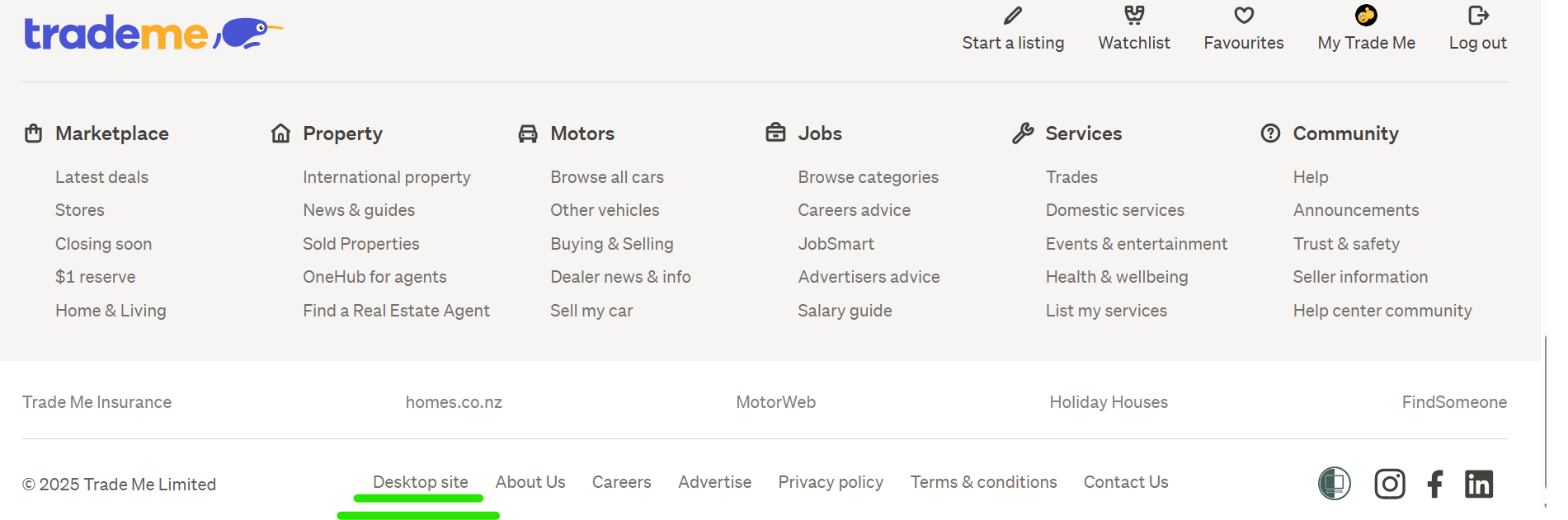
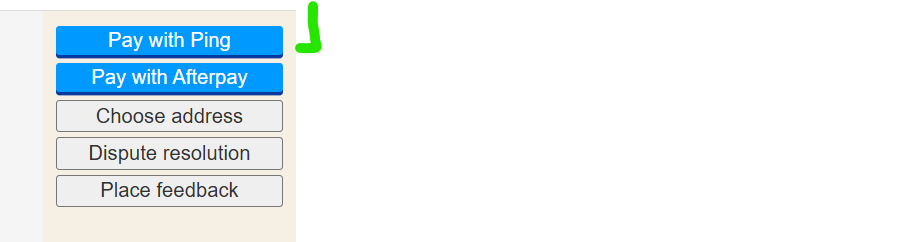
- If you're using the Desktop site select the word Desktop in fine print at the very bottom of your won items, this will take you to your account details page, if you select won again from the Left hand Banner menu you should be taken to the Classic (Old) Desktop site where you have the option to select Pay with Ping.
- If you're using one of the Apps type TradeMe.co.nz into your device browser to pick up the Desktop site enabling you to try step 4.
Let us know how you get on - Cheers.
0 -
S Community SuperuserEdited
Example of Ping being selected...

Example: Desktop select from the Bottom of your won items...
Example of the Pay by Ping option in the Classic (Old) Desktop site...
 0
0 -
I pre-installed my card and it worked. Thanks a lot!!!
1 -
S Community Superuser
Brilliant Etienne,
Thanks for letting me know - Cheers.👍
0 -
I have tried to load a card to ping, but it won't load. I get an error message. Please contact me to resolve.
Edited in line with Community guidelines
0 -
S Community SuperuserEdited
Kia Ora goldeeford,
What is the error message you're getting?
Where are you entering your card, is this through the purchase you're making or are you pre-installing your payment card?
Are you using the Desktop or one of the Apps?
Please use the cog wheel adjacent your name in your comment to delete your email address, this is a Public forum and you have left yourself open to bots which scan for this information from untoward players.
0 -
 Michelle
Trade Me staff - Community team
Kia ora goldeeford, it sounds like you might need a hand with this, I've passed this on to the team to get in touch with you 🙂
0 -
I am using a desktop. I have sent a screenshot of what is happening to a support person. Thanks for all your help.
0 -
S Community Superuser
Thanks for letting me know goldeeford,
I'm sure support will have you sorted in no time. - All the Best.😊
0 -
hi im having the same issue and did the above steps and still not working
0 -
S Community Superuser
 0
0 -
Michelle
Kia ora almaali18, I see you've also reached out to the team, keep an eye on your emails, they'll be in touch.
0 -
thank you!
0


15 comments
Date
Votes