How to change feedback from neutral to positive

-
 S Community Superuser
Kia Ora Mike,
Congratulations on getting that Trade sorted,
Have a read through Post: Mistaken feedback – Help - Trade Me which gives a few options to access the fields to change. - Let us know how you get on - Cheers.
0 -
Hi I tried what was suggested but still can’t edit the feedback. There is no edit button. I only have access of my phone. Trade me please fix this. It’s not fair to the seller. And I only placed the feedback to make contact as per the trade me advise on here. Please help fix this trade me not just for me but all your customers.
Regards Michael0 -
S Community Superuser
Thanks Mike,
Another interim workaround to get to that Feedback page which I have just tried so can confirm this is working for me - you will want to Type TradeMe.co.nz in your phone Browser to select the Desktop site...
In my Won items I scroll to the very bottom of the page & select the Desktop in fine print - this takes me to my TradeMe Account details page However if I scroll down the Left hand side Banner menu & select Won again I am taken to the Classic site - I enter the Username & select members from the scroll down menu & I'm taken to the Members page on the Classic (Old) Desktop site where I have the Delete tab.
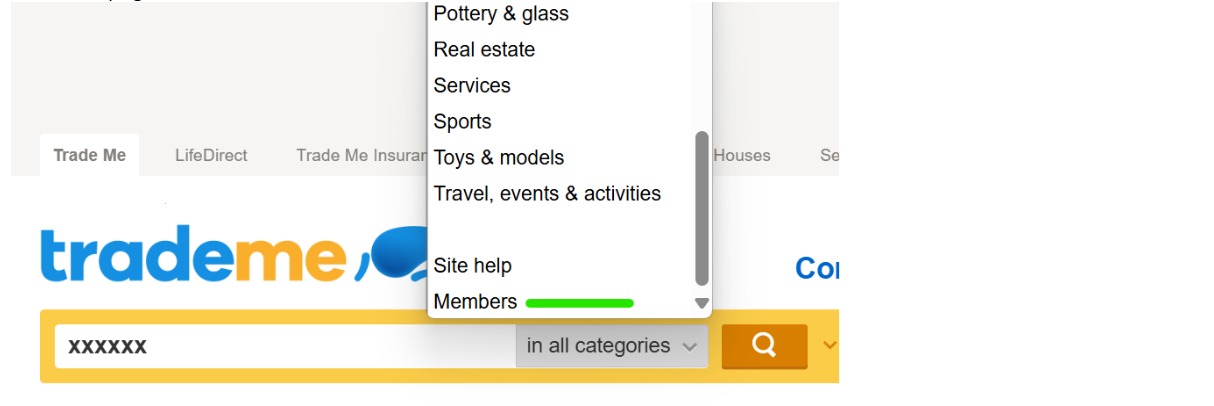
Let us know how you get on with this workaround. - Cheers.
0 -
 Michelle
Trade Me staff - Community team
Kia ora Mike, if the workaround S has given doesn't work for you, you can contact us and we can help change the feedback for you.
0
4 comments
Date
Votes