Removing favourite seller
Answered
I tried multiple times to remove a seller that I get updated selling lists from I got told even if we got disconnected from the chat bot I would get updated email.
-
 Gary-NZStocked Community Superuser
There are many places to edit your favourite sellers Ryan, so if one method is not working for you, maybe try another.
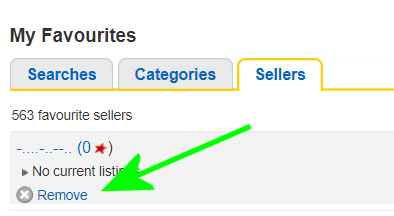
You can remove as seller from your favourites on a desktop computer by going to your favourites page as link below.
https://www.trademe.co.nz/MyTradeMe/Favourites.aspx?pv=3
Then click on the Remove button
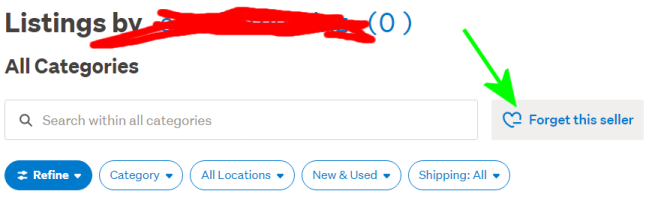
Or, if looking at a sellers listings you can click the Forget this seller button
Or, in inside a listing you can click the big blue Remove from favourite sellers button.
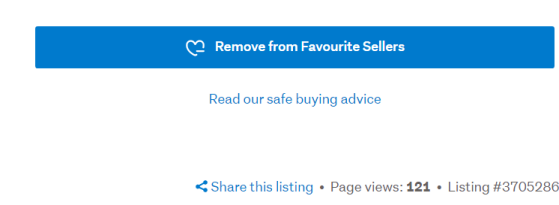
While all these ways behave differently, one says nothing, the one inside the auction says Kazam! That seller was removed from your favourites, the one in their listings page simply says Removed from favourites, but they all do the same thing and they remove the seller from your saved fav sellers list.
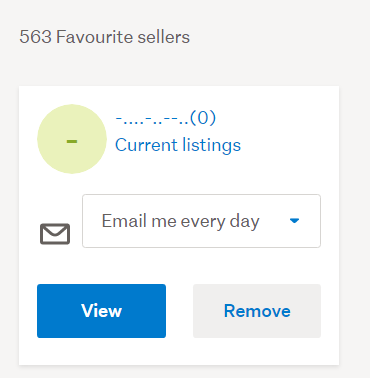
If you are really brave, you can view your favourites on the new mobile view site, but there is so much white space there the page is absolutely huge and takes a long time to load if you have a large number of favs. I can only see 4 fav sellers at a time on the new screen without having to scroll, but the old page (which is the one I use) I can see 6 on a page. I just did a test and my fav sellers old page takes 54 Page down presses to get to the end, the new one takes 105.
 0
0
1 comment
Date
Votes