HOW DO I DO A SHIPPING TEMPLATE ON MY LISTING?!

so I create my listing etc then get to shipping page - I would have thought there would be somewhere to put in weight / dimensions and then from chch to auckland from chch to wellington using trademes courier door to door service etc so a cost would be added to each option but I cant see anything that helps me do this ahhh? any advice?
-
 Gary-NZStocked Community Superuser
Joshua, on the Shipping tab when creating a listing you can choose to enter all that info by selecting Calculate courier costs, as below.
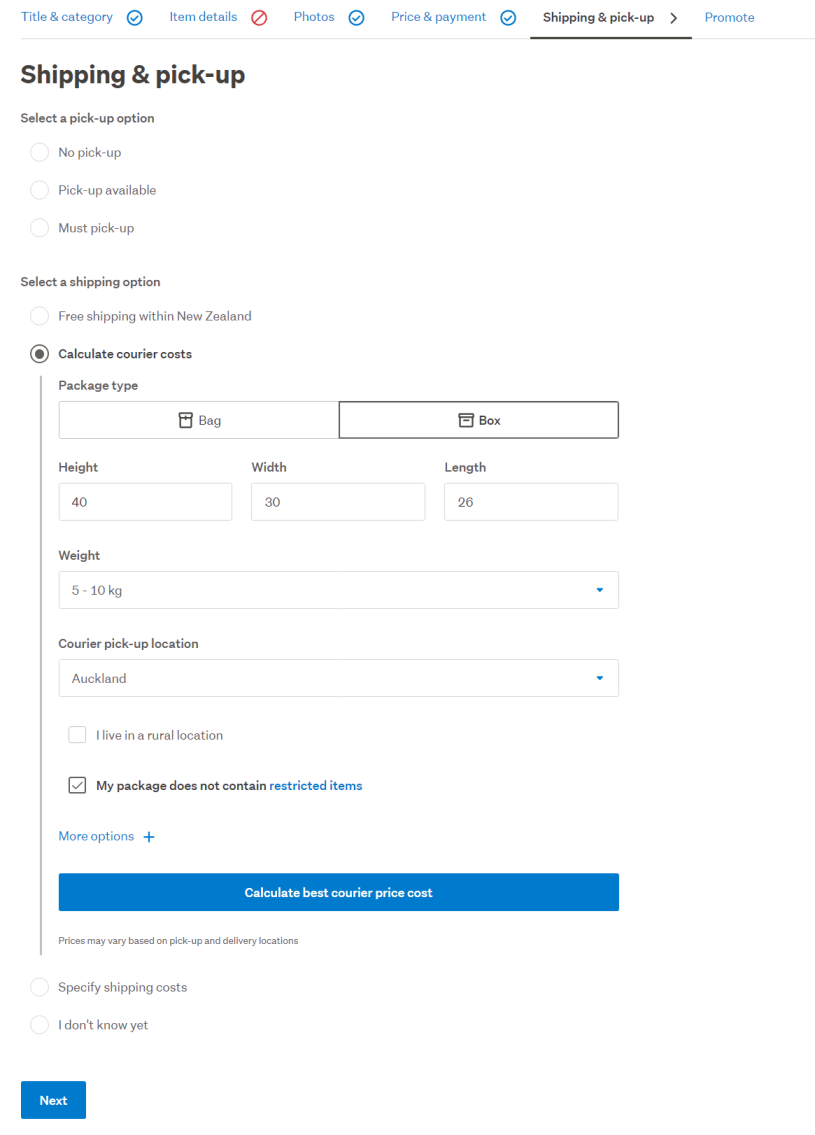
Once you have the details in, click the Calculate shipping costs button.
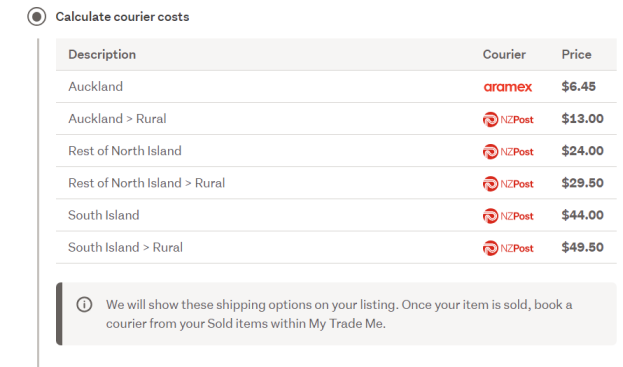
Of course that doesn't allow for any packaging etc, so you can choose to write those down as a guide, then choose the Specify shipping costs option and write your own template eg North Island, Sth Island, Local, North Island Rural etc.
0 -
Thank you still having problems though the calculate shipping costs button does not appear just the other options, how can this be?
0 -
Gary-NZStocked Community Superuser
Not sure what "other options" you mean, but when getting to the shipping tab I see this.
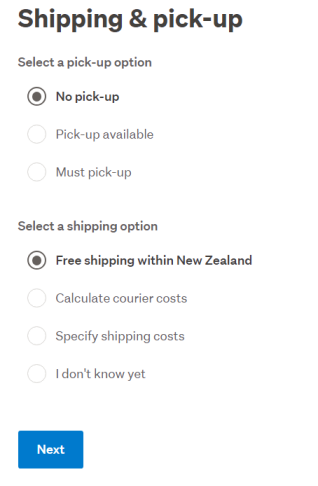
However, obviously if you have ticked Must pick up, then no option for sending or calculate shipping appears. Is that what you've done by mistake maybe?
0
3 comments
Date
Votes