Editing feedback
Answered
How do I change a face on feedback that I posted ,my error in posting feedback
-
 Gary-NZStocked Community Superuser
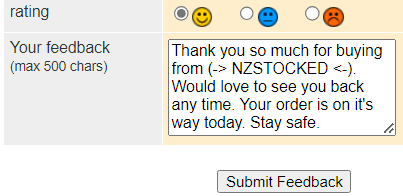
You just go to the feedback and click on Edit this feedback, then change the face colour like below.

 0
0 -
Where do I find this please
0 -
Gary-NZStocked Community Superuser
You have to find the member you placed feedback on either via emails or via your won or sold folder and click on their feedback number beside their name, then once you are on their feedback page you find the feedback you placed and edit it. You have to be on the old site though as Trademe have left off the option to edit feedback from the new site.
You can view the old site sold page here.. https://www.trademe.co.nz/MyTradeMe/Sell/Sold.aspx
0
3 comments
Date
Votes