Changing photos when relisting
Answered
How can I change photos when relisting?
-
 Callum Community Superuser
The method varies depending which device you are listing on. You didn't say, but for desktop it's pretty straight forward.
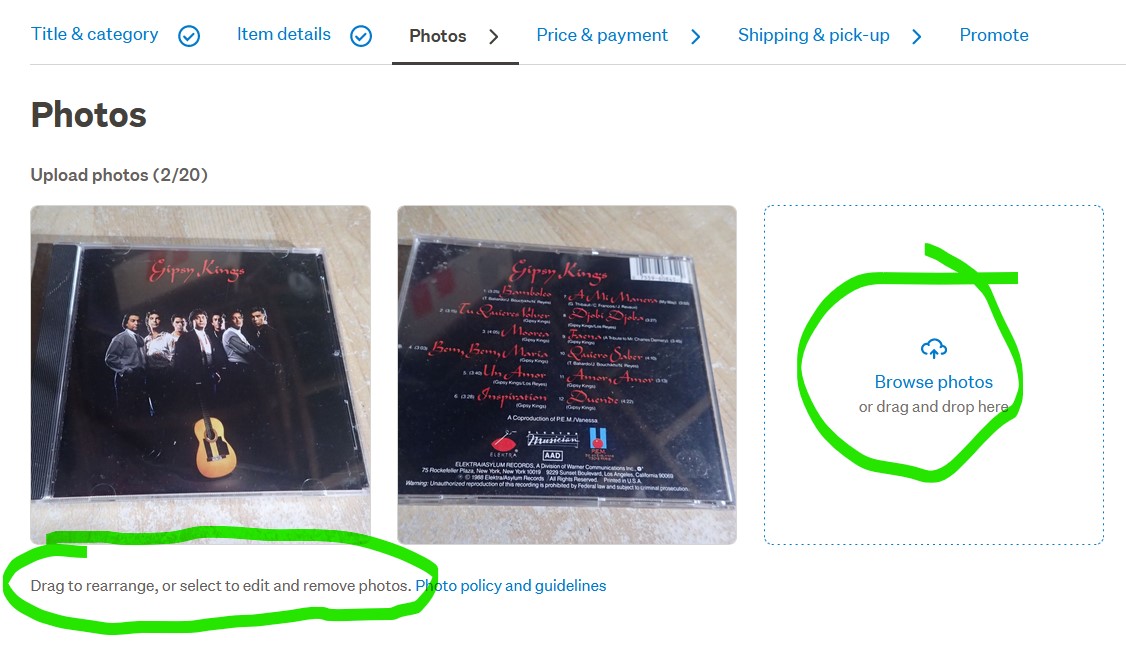
When you get to the photos part of the listing you add more by clicking or dragging to the box which asks for them.
To delete any you don't want you just click on them and hit delete. As explained by the wording under them.
 0
0 -
 Gary-NZStocked Community Superuser
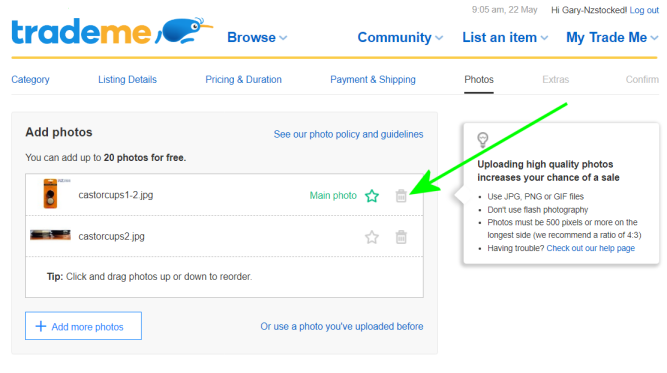
Like Callum says, it looks a bit different depending on what device and browser setup you are using. Looks like this on mine when I relist, in which case, click the trashcan to delete any photos you don't want.
 0
0
2 comments
Date
Votes