How to do BULK edit to my over 900 listings to add 'CASH' as payment
Answered
I want to set up 'payment by cash' to ALL my over 900 listings through BULK edit. The automated answer says, go to EACH listing & edit. THAT is not BULK edit. It will take several hours to do that individually. Can you please guide me how I can set up BULK edit for 'cash' payment please. Thanks.
-
 Gary-NZStocked Community SuperuserEdited
Easyway would be to select all in MP in the box in left column, then in the Bulk edit dropdown select Payment methods, then select what payment methods you want. Note, if you are In Trade, although the Bank deposit option and Other (please specify) option appears in the payment methods section, it won't show in your listings if you select them.
Note: The payment methods is a replacement method ie it won't recognise any existing payment methods in each listing but all all selected to the methods you have ticked.
You may choose to select all, or just active listings only etc.
Make sure to tick the box to update all current listings, if this is what you want, else it will update products only and they won't update until they close and relist.
As screenshot here...
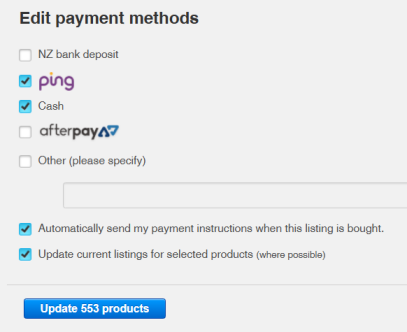
Note, it can take some time for the updates to live listings to complete in the background. You can sometimes speed this up by bulk editing something else like a bulk footer if you have one. Often just an extra . or .. in the footer will force the update.
1 -
That was fantastic! All done. Thank you.
One more question out of curiosity: The boxes 'after pay' & 'cash' have dark blue shade in the background, but 'ping' has only a light blue shade. Why the difference in shades? Is that significant?0 -
Gary-NZStocked Community Superuser
No idea re the shading. I just see as per the screenshot I did just before. I previously had a mix of things in listings, so it can't be that it has detected some already being used. Presumably you have Afterpay and Ping setup already in your Trademe system, but if not, it could be a warning about that. If you go back as though you were going to do it again, does the shading still show? Can you post a screenshot?
0 -
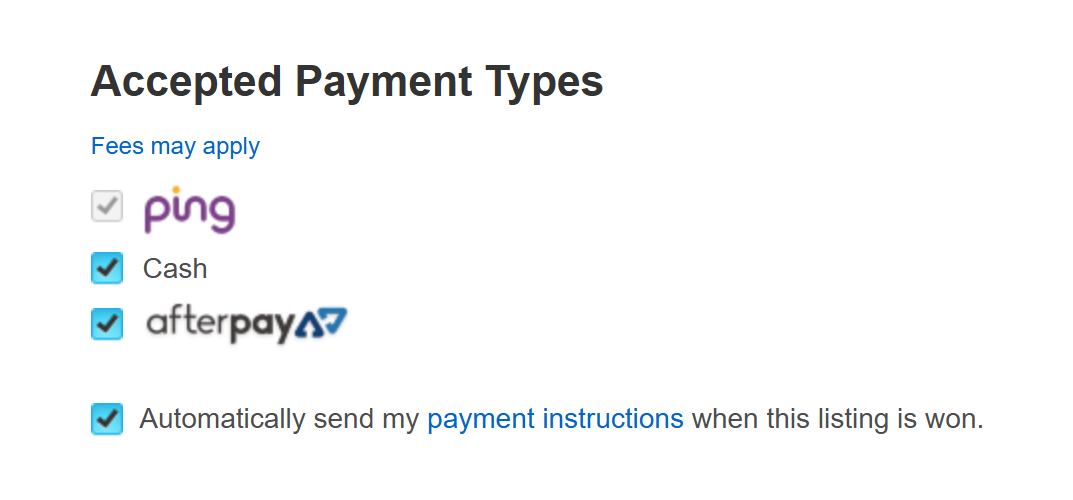
I already had the PING & AFTER PAY. I clicked on everything including the new item 'CASH'. Only the Ping has the lighter shade. I did what you suggested...went back & tried again. Ping is still light blue. Here is the screenshot:
 0
0 -
Gary-NZStocked Community Superuser
Ah, I see that's grey for Ping and that's only in the product itself screen, not the bulk edit screen I posted above. The grey Ping box pre-ticked means it's mandatory and can't be unticked.
1 -
Oh, Ok. Makes sense. Now I can have a restful sleep.
Thanks very much.
Cheers,
Clem
1 -
Gary-NZStocked Community Superuser
You'd need to check in the product of one that hasn't relisted yet to check your bulk product edit worked or not. Presumably you ticked the box to tell MP to "Update current listings where possible". If you did, then you may need to force update, as mentioned in my original post at the top, ie Often just an extra . or .. in the footer will force the update. If you don't currently use a common footer, start now with this.
0 -
Hey Gary,
Hope your well, today i went to log into myproducts where 100's of templates were created ... now it appears they are not there and its asking me to register for my products and asks me to "Get Started" what concerns me is if i click to get started this will erase the 100' of hours of setting up templates, i have tried contacting trademe however there is no on line chat anymore all you get is a bot and it looks like 2-3 days to even get a reply. Being urgent what. the hell is tradme doing! this is crazy. I cant make contact with anyone here considering i spend around $20k a year in fees with them. My power, phone and internet companies and all ither service providers do not treat their customers like this. It is unfair when things are urgent... any help here would be much appreciated. Thanks mate
0 -
Usually, clearing internet cache files, logging in to TradeMe, then click in to my products from your my TradeMe page link will open up a new tab with my products. You should be prompted to log in to mpchoose login with trademe option.
This should log you in and show you as being logged in with all your products showing.
Don't use the register with tradevine or tradevine option, only use the Log in with trade me option.
I am out of town for a few days, but can pull my laptop out if you need extra help, other than here on my mobile.
0 -
Gary-NZStocked Community Superuser
Lol, forgot I had logged in with my personal acc. Post above was from me.
0 -
yeah tried all that ... I even checked my personal account and my products is there like it should be. My In trade account is not and below is the info on the page im directed to ... Driving me crazy and the weak customer service they provide :(
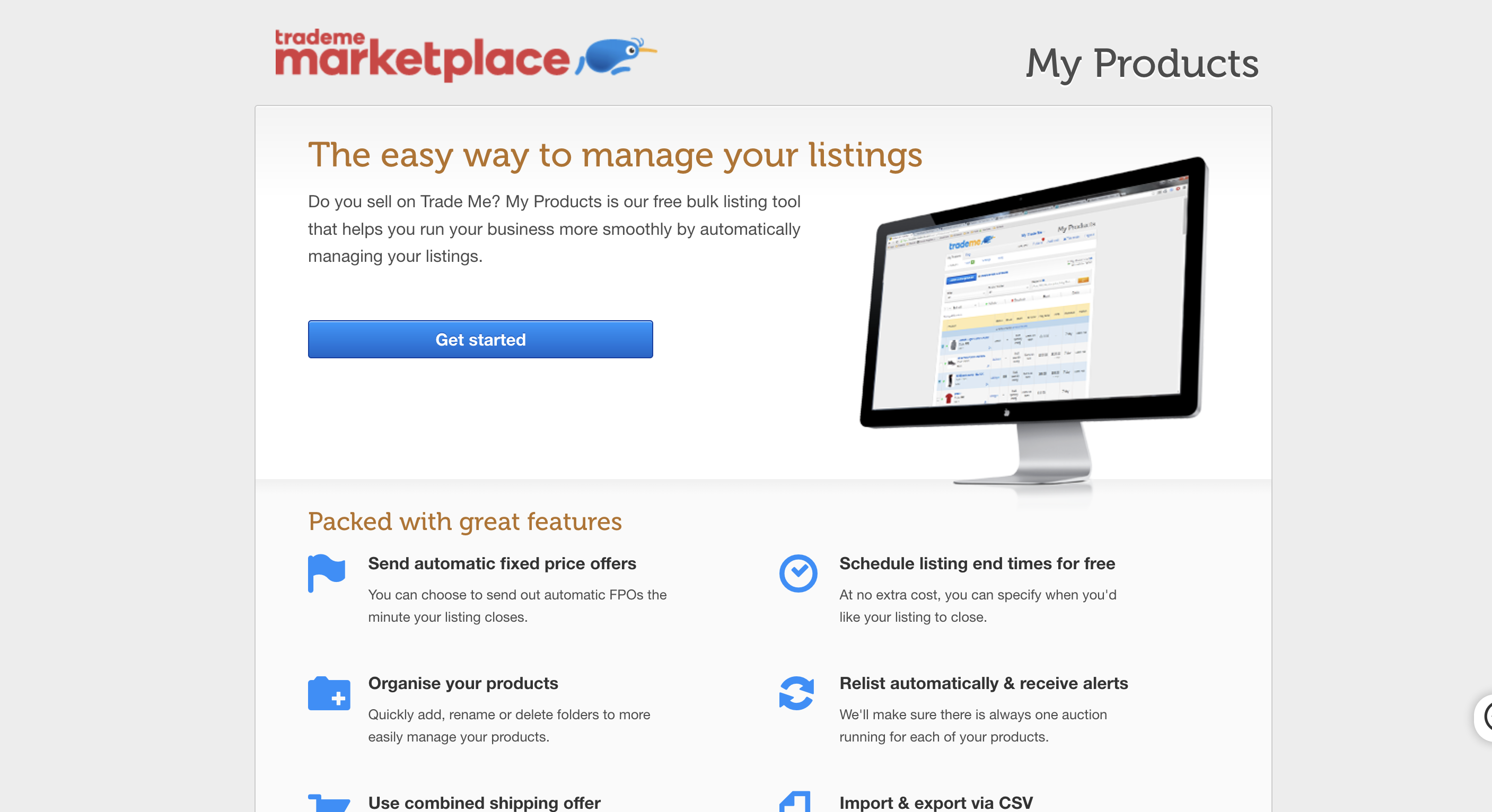
The easy way to manage your listings
Do you sell on Trade Me? My Products is our free bulk listing tool that helps you run your business more smoothly by automatically managing your listings.
Packed with great features
Send automatic fixed price offers
You can choose to send out automatic FPOs the minute your listing closes.
Organise your products
Quickly add, rename or delete folders to more easily manage your products.
Use combined shipping offer
Set a price or item threshold that buyers need to reach to qualify for free shipping.
Schedule listing end times for free
At no extra cost, you can specify when you'd like your listing to close.
Relist automatically & receive alerts
We'll make sure there is always one auction running for each of your products.
Import & export via CSV
You can easily create products or update existing products by uploading a CSV file.
© Trade Me Group Limited0 -
ive spent 100's of hours setting up templates ... im emptied the cache tried from different browsers and used a phone and another computer but i amm still directed here
0 -
Gary-NZStocked Community Superuser
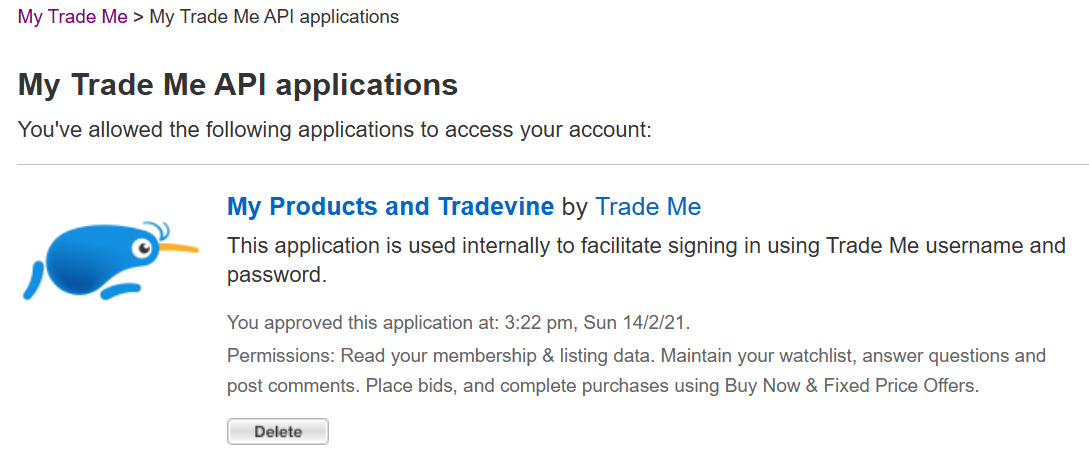
If you go to your My Trademe, settings, Trademe API applications page do you see Tradevine listed like this...
 0
0 -
Gary-NZStocked Community Superuser
What do you actually see on your My Products page? I can't get it to display anything other than the std login with Trademe options myself.
0 -
Gary-NZStocked Community Superuser
You haven't mistakenly added the products to your personal MP account maybe? You may have been logged in to it and without thinking gone ahead and loaded products there. If so, you can export from there and import in to your intrade account, remembering photos have to be loaded too.
If you don't have the installed link in your API settings page, then you definitely don't have MP setup for the intrade account and you can start a clean MP setup in that account.
0 -
Thanks Gary,
I have had my products set up and use it daily for over 5 years now. Ive never seen this before or changed anything in any settings. Last night i was using my products, logged out and then tried to log back in today then get referred to the 'Get Started' page. Quite alarming really.. very difficult when you spend alot and help from Trademe is 3 days away.
0 -
Gary-NZStocked Community Superuser
Have to tried bringing up your browser history, Ctrl-H, then put products in the history search all tab. You may find several Myproducts links in there. You are looking for one that has your membername in it eg mine is https://sell.trademe.co.nz/nzstocked/Product/List/TradeMe
Else, try going to that link and manually putting your membername in there. It may not work though if your My Trademe, settings, api applications page does not have MP tradevine installed as a trusted api source.
0 -
Thanks again Gary,
You have been super responsive and helpful more than what i should be getting from TradeMe. I tried what you said and went back through the history and tried but it still didnt work as I tried this from both my phone and laptop on Google and safari browsers. I have tried emptying the cache and tried what member tzahrina suggested. I really hope tradeMe replies soon... Day 2 still no help as yet. Lets see, its quite concerning when you need urgent help and spend considerable amounts of money and no responsive support accept a robot. This is the sort of thing that needs media attention if they do not follow up. It seems the only way to get any attention. Im wondering out there who else is feeling this way with TM's customer service ???
0 -
 Michelle
Trade Me staff - Community team
Kia ora carsonlinenz, Gary's advice is really comprehensive, thanks for giving it all a go. I've passed this on to the team to follow up with you, since this is still an issue. Keep an eye on your emails.
1 -
Hi Michelle, Yes Gary has been very informative and just the fact he is offering to help people is very nice. His work arounds, they are all great ideas/ways to see how this can be fixed. To date the problem is still present and I can not access My Products. I will look out for emails from your team so we can get this resolved. Hopefully within the 3 day time frame. Please if T M customer service tries to call and gets a message service please leave details so I can reply or text the number on my account ending in a 5. I am very busy today however I will bolt my laptop onto my back should help contact me, this is super important it gets solved. An immense amount of time as gone into set up as you can imagine. Appreciate you stepping in here Michelle. Regards, Justin
2 -
Gary-NZStocked Community Superuser
Don't forget to let us know how you got on Justin, in case anyone else has the same problem.
1 -
 carsonlinenzEdited
Thanks Gary, I finally got a call from an anonymous number and it was a person called Dan from TradeMe. While Dan had no exact explantation for this, his best shot was 'maybe' i had the browser open on my personal account and it crossed over with the personal account. Basically it couldnt be restored and I subsequently lost all of my templates. Dan said the only way I could retrieve a small portion of this was go into my sold items and import them back into MyProducts, which I did (Thank you Dan). So I did have some success restoring around 15% of lost templates. Also all my shipping templates have been lost for specific each folder so I will need to rewrite these again. What really disappoints me is the wait times. I did ask why it can take upto 3 days for anyone to get back to me or anyone who needs urgent help, i was told its better than for example than been on hold with a bank for 30 minutes and this way its fair for everyone. I strongly disagree that its fair to wait upto 3 days and would say customer service has noticeably weakend, there used to be a number you could call, a top seller line an 0900 number ($1.99 per minute) on-line live customer service. All we get now is a robot that forwards your messages to a team that will get back to you in the time frame of 72 hours depending on the queue. Unlike an insurance, bank, phone, internet, power & gas companies, city councils all which have numbers you can actually make contact and the wait times are fair and reasonable all of which I spend less than my trademe account. I guess the work around is to open a TradeMe "Store" which I had previously and back then you could talk to somebody, im not sure now as I shut that store down due to poor ROI. Thanks again Gary you intervening may of helped getting this post noticed and I do appreciate the effort you took to try and help. Also thanks for stepping in Michelle and pushing this along. Best regards Justin
2

22 comments
Date
Votes