Sending a link to my facebook site
Answered
I have listed quite a few books that would interest my Church friends.
How can i send a link to their facebook page please.
-
 S Community SuperuserEdited
Kia Ora David,
From the Desktop TM site you enter an auction - scroll down the page to the end of the listing and you will see the Share toolbar as below ... Cheers.
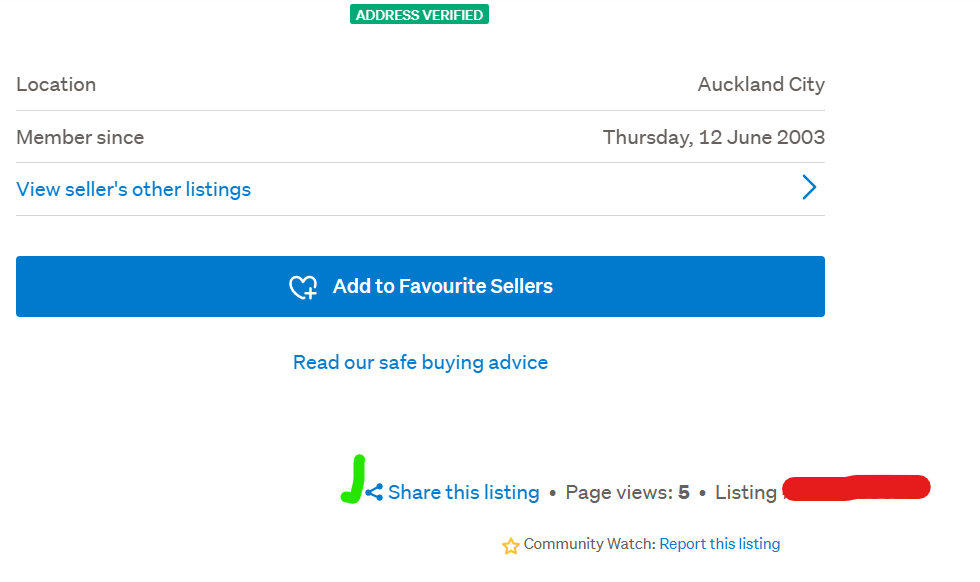
Enter the Share toolbar & make your selection ...
 0
0 -
 Gary-NZStocked Community SuperuserEdited
It depends how you have them listed, but if you have 1 listing you want to share it's straight forward, sort of.
Go to the listing, click the log out link top right, go back on your browser to the listing, then scroll down a bit and a dropdown at the top will appear like this, then click on Share, or if you want to stay logged in, use the share link at bottom of page near the listing number.

Then you get this pop up, so choose Facebook.
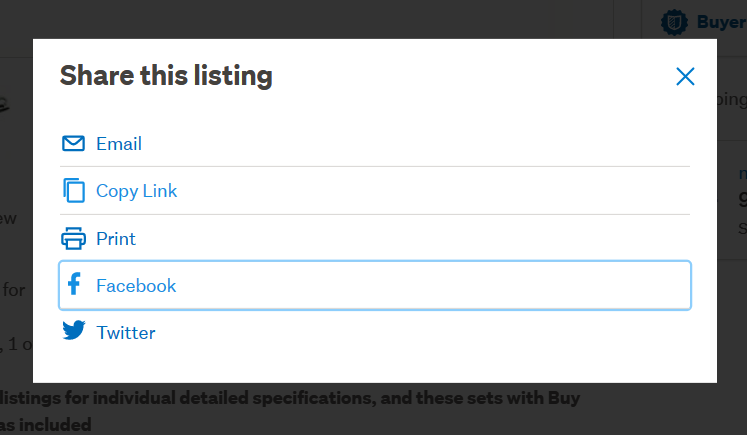
That will then take you to facebook with a link and photo created.
If you have several listings, you can either go to your listings and then navigate to the Books category if these are the only books you have listed, then copy the full url in the address bar, go to facebook and paste that in a post you create.
If you have other books as well that you don't want to show in the initial post, you would need to do a search in your own listings for a common keyword that appears in each of the listings, then again, copy the url and paste to a facebook post.If you don't have a common keword that you can search on, create one and add it to each listing eg churchbooksbydavid, then you can search for "churchbooksbydavid" (you must have the " " around it when you search so it searches inside listing text"), anywhere on Trademe and it will only show the ones that have that keyword in them.
0 -
S Community Superuser
Kia Ora Guys, Apologies your Post had a delayed response David - I have reported the delay in Posts coming through to the Forum so hopefully a fix is applied asap - Cheers.
0
3 comments
Date
Votes