Where do I find my Draft listing
Answered
I was 95% throught my property to let listing and hit save draft and exist while looking for some more info.
Where do I find this draft.
-
 Callum Community Superuser
Hello Franz. When you want to continue just go to "Start a Listing" as you normally would. You will asked if you want to start a new listing, or continue one you started previously. Select the continue option.
-4 -
Doesn't work if you start it on your phone. Even worse it is saved on the app, but when you load it there is nothing there. Come to the help section and you get no help here either. Infuriating.
2 -
Why have a draft functionality if it doesnt function. I listed two items on my phone and its sitting in the app under drafts but for whatever reason I couldnt list it "technical hiccup" and now I cant access my draft and I thought coming onto the browser would work... wrong. Seriously how much does it cost to have a system that works?
0 -
doesn't work on my laptop either Callum. No such thing as " When you want to continue just go to "Start a Listing" as you normally would. You will asked if you want to start a new listing, or continue one you started previously. Select the continue option."
no such option.
2 -
Callum Community Superuser
All working OK for me on a test just now vsandford.
As explained on desktop you just click the title of the listing you started previously. Like this
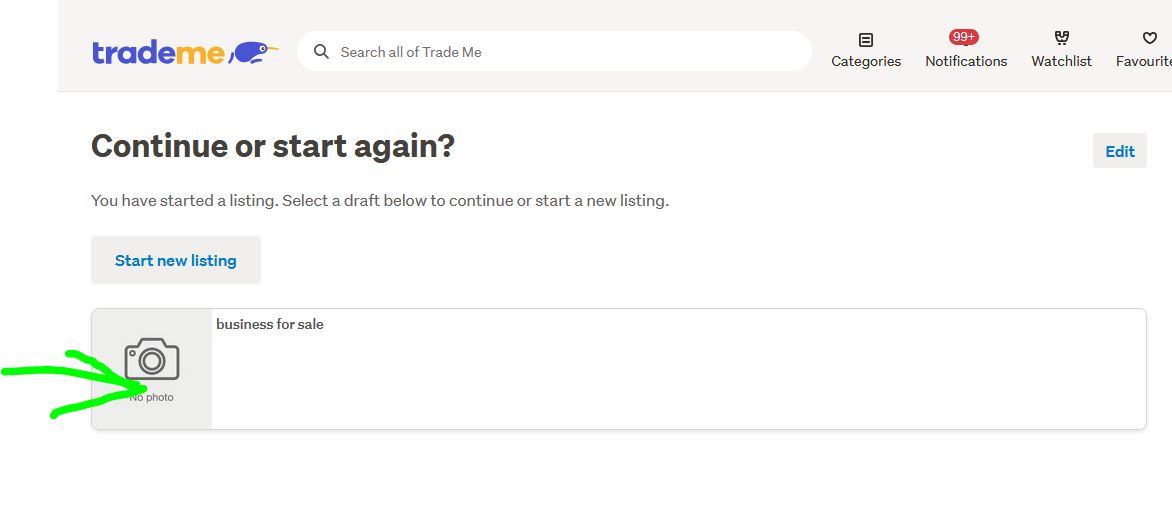 1
1 -
 S Community Superuser
Kia Ora vsandford,
I access the site through Laptop, New Look Desktop, Edge Browser - when I go to continue a draft listing I select the section i.e. General item > the landing page I get is as below...
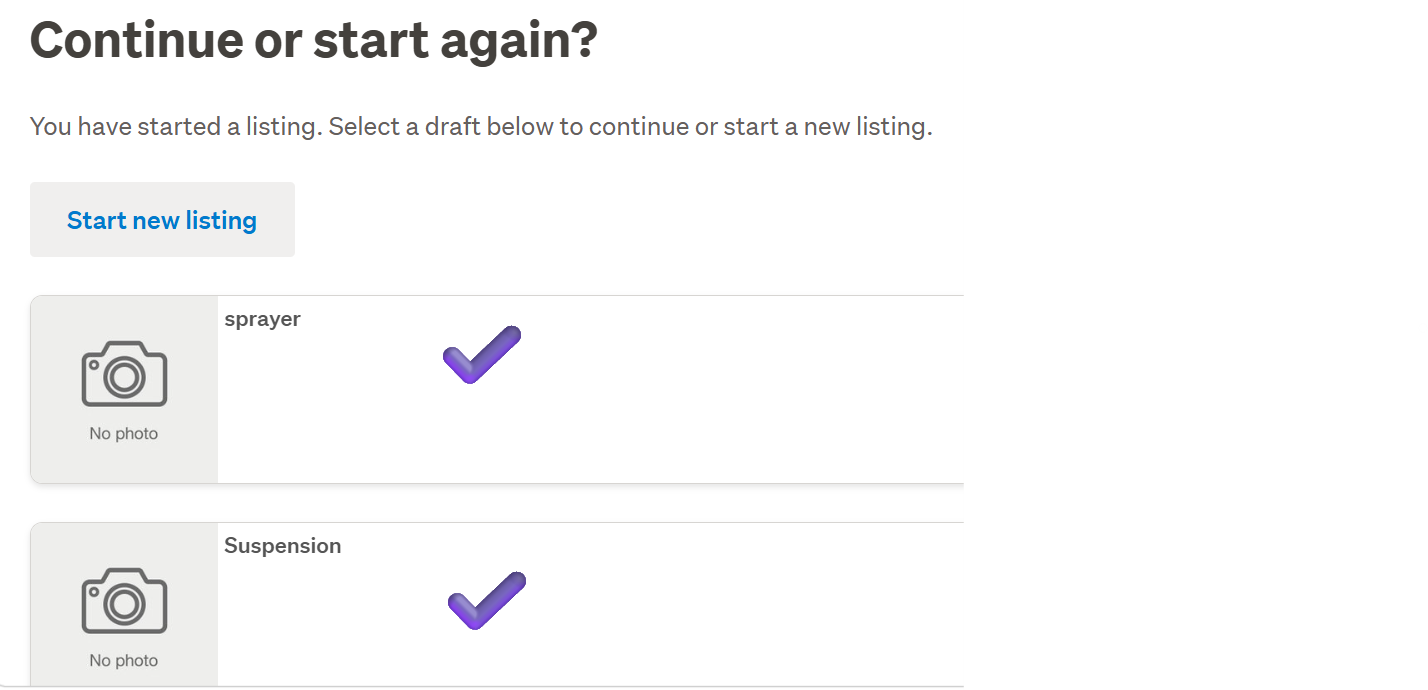
These saved drafts are recent for me - prior to the 2 saved drafts you can see, when I landed in the next page after selecting General items I had to start a new Listing again, after entering the Title I got 2 boxes pop up to either select 'Start a new listing' Or 'Continue' - selecting Continue would bring the draft up for me at the point I'd left entering info'.
Starting a new listing deletes the draft. - Once a Listing is listed live the draft copy disappears. - If you want a permanent copy of your draft for further use after it's been activated live you will want to save a copy in your Device document writer/editor to copy & paste into further listings you create and make your edits from there. - Hope this Helps.
0 -
Thanks for the response.
Happy it works for you. But alas, not for me. I did as described, but this does not appear. Mac running Brave, perhaps TM has issues with Brave? Same category - I had uploaded photos etc and 'saved for later'.
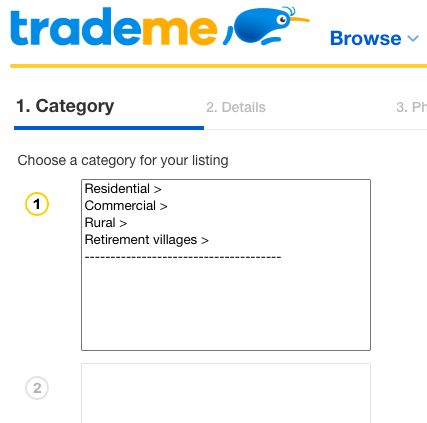 3
3 -
ill move on...
1 -
S Community Superuser
You're in Classified listings - keep selecting the same category sections on that page - when you get to the next page = 2. Details the draft may come back there for you, worth a shot. - Cheers.
0 -
It's the correct listing. The exact issue that Franzw, who started this post a year ago, had.
Maybe rental listings have a glitch?
Thanks, I've redone it all.
Vaughan
2 -
S Community Superuser
Updating for other Members coming through this Post thread for the Property Classified Listing drafts,
On the Desktop site, Edge Browser...
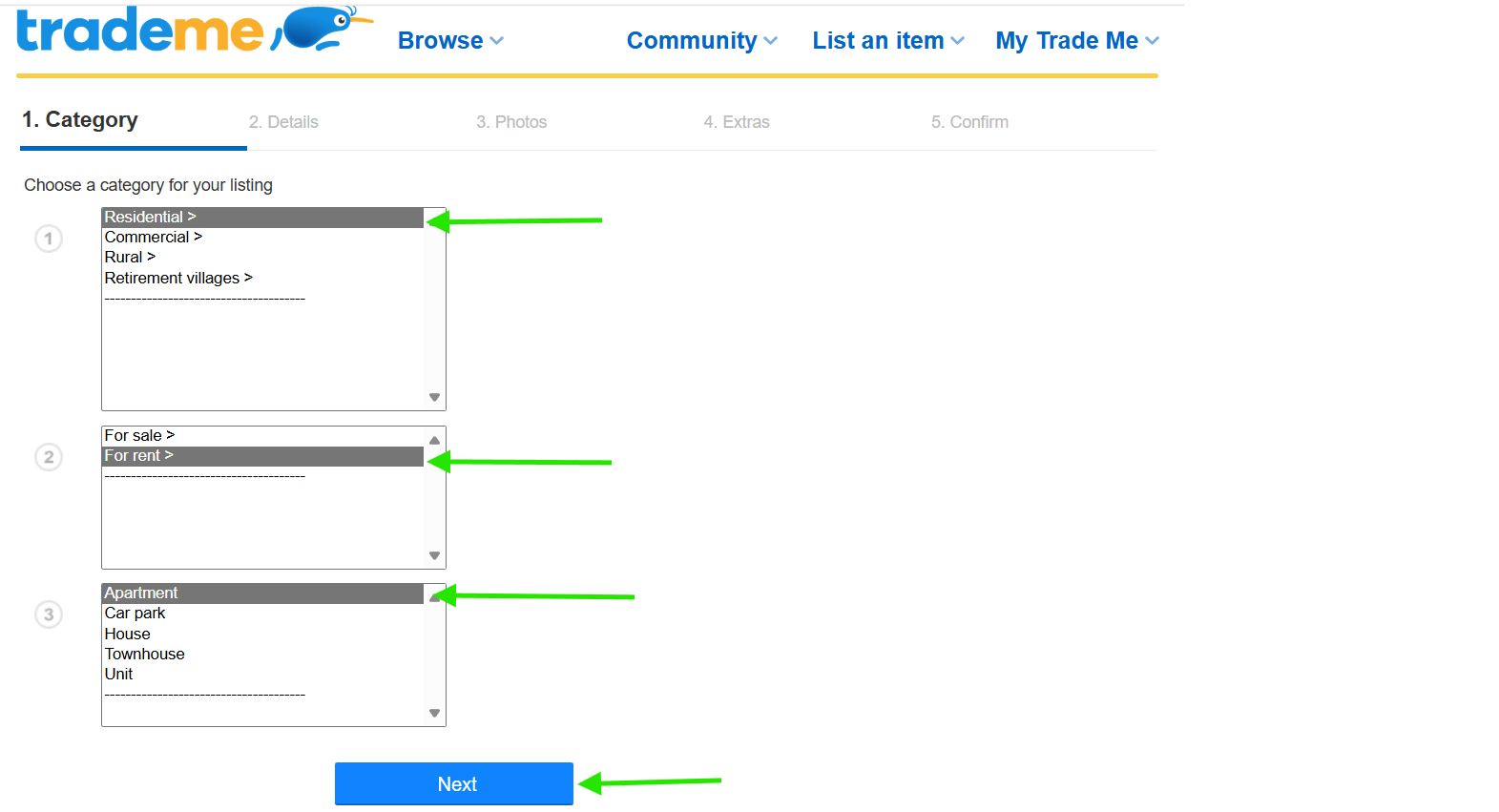
I just ran a test of creating a property, saving and exiting the draft - on re-entry I did have to select the exact Category details again before selecting the Next Tab - the landing page took me direct to the page I had saved & exited the Draft, bypassing previous page of info' entered. - This is how to get back to your saved drafts - Cheers.
 1
1 -
Callum Community Superuser
Thanks S. Good info here.
Of course now that you've done that Murphy's Law says Trade Me will change the listing process for Property ads tomorrow ;) I think it's about the last thing to get upgraded to the new listing format.
1 -
Callum Community Superuser
Have you followed the instruction above bromptonbike?
After you select start a listing you need to navigate to the same category your original draft was created in.
So you go through the process and it should appear AFTER you have started your new listing and selected the category.
0 -
Thanks, Callum.
This bit didn't happen (no ask or option appeared): " You will asked if you want to start a new listing, or continue one you started previously. Select the continue option."
Eventually resigned myself to starting over and when I'd clicked through rental types again (residential, etc), the next page showed my draft listing. So, got there eventually. Yay. Thank you.
1


14 comments
Date
Votes