How to view RENTI applications
Answered
How do I look at renti applications when listing a property for rent?
-
 S Community Superuser
Kia Ora Leanne,
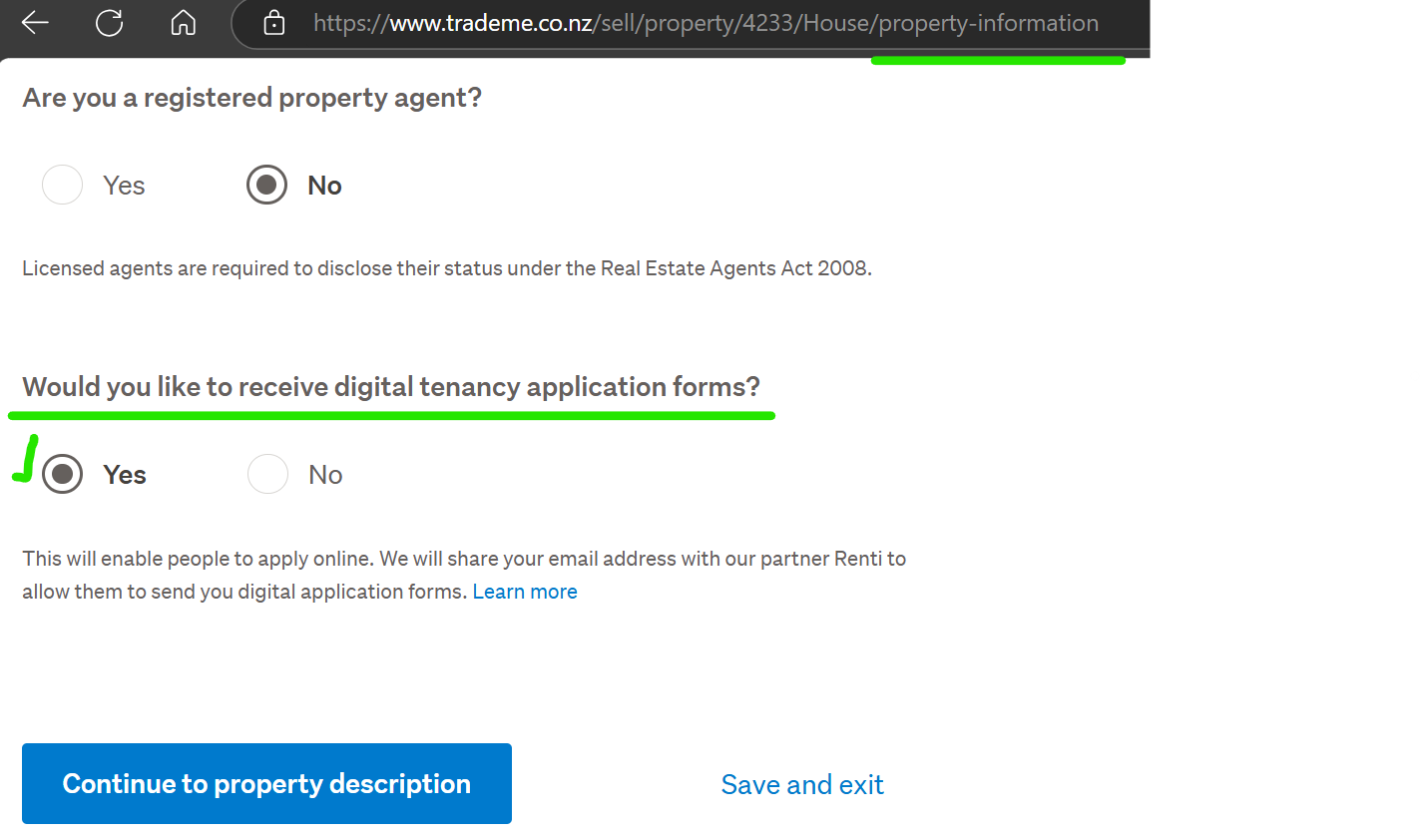
When Listing your Property for Rent, when you get to filling out the Property Information page at the very bottom of the page is a selection to choose if you would like to receive digital tenancy application forms - if you select Yes! TradeMe share your email address with Renti so they can send you the digital application forms - this is a free of charge service to you and you can opt out at anytime. - Cheers.
 0
-
 HowoldEdited
Leanne
How did you find the process with Renti?
Or did you use another 3rd party intermediary processer ?
0 -
How do you see the completed application forms if you are the landlord??
0 -
S Community Superuser
You login to your Renti landlord dashboard through renti.co.nz
0 -
Can I reply to Renti applicants directly before proceeding with their application?
0 -
S Community SuperuserKia Ora harriet72,Yes! As the landlord or property manager, you can communicate with applicants before making a decision on their application.Be careful not to request information that would be in breach of the New Zealand privacy or discrimination rules, for example, tenancy decisions must not be based on protected characteristics like religion, ethnicity, disability, or similar.Landlord communications are generally based around...
- Asking follow-up questions about employment, pets, move-in dates, or tenancy history.
- Arranging additional viewings.
- Clarifying information before shortlisting.
- Advising applicants if further information is needed.
Your Renti dashboard has the communication options available. - Cheers.0


6 comments
Date
Votes