Photo quality very bad
Answered
-
 Callum Community Superuser
Do you have an example auction or 2 Baden? We could then check it out to see how it looks.
0 -
Hi Callum. Here is my listing;
https://www.trademe.co.nz/marketplace/sports/soccer/apparel/auction-5047102679.htm
Thanks
0 -
 Gary-NZStocked Community SuperuserEdited
Baden, Trademe use a jpeg compression ratio of around 20% to compress photos so they take up less room for faster downloading. If you don't want the photo compressed so much which degrades quality, by Trademe, you can adjust and compress them to this ratio before uploading which means Trademe won't compress them so much so they look much the same as how they look when uploading. How you set the compression will vary depending on if and how you are editing your photos.
I just did a test using a photo I set the jpeg compression ratio to 20%. I uploaded to a listing, then downloaded again, and the compression was unchanged at 20%.
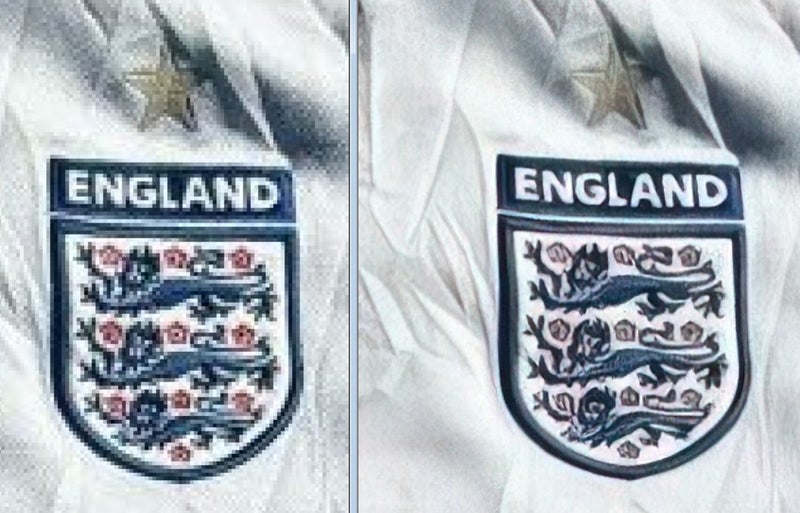
Here is an example of part of your image with original, side by side with enhanced before saving at 20%, then uploaded to TM.
 1
1 -
Thanks Gary! How did you edit the jpeg compression ratio sorry? On a computer or is there an app? Thanks
0 -
Gary-NZStocked Community Superuser
I use an image editor on my PC. I use Paintshop pro, but most image editors should let you adjust compression under the jpg save options. Some phone cameras may have options for this, but I don't know.
0 -
Hi Gary,
I compressed my photo from 7.5mb to 4mb. The photo looked great on my phone. But again bad on TradeMe. Photo was a JPEG. Haven’t had this problem before which is frustrating. Appreciate your help. Thanks
0 -
Gary-NZStocked Community Superuser
Hi Baden. The size of file doesn't necessarily reflect the compression ratio as I could have a 4.5mb file with 1% compression, or a 4.5mb file with 20% compression. The 1% compression file would be resampled by TM using whatever method they use, and the 20% compression file would probably not need any more compression so would appear closer to as uploaded. Might be worth looking at the camera settings you use to see if there are options to adjust compression ratio. Sometimes a Fine setting will use lower compression. If you are not doing any post photo editing, it might be better to adjust camera settings reduce the quality when taking the original image in the hope TM won't compress further.
0 -
They must’ve changed something in recent update? I’ve uploaded pictures to my new listings which were used in older listings just to test out and they were also blurry. But previously looked great.
0
8 comments
Date
Votes