Hot Listings category
Answered
Help, My guilty pleasure of looking at the "Hot listings" in my area has disappeared.
When the new format started a couple of years ago I was unable to go directly to it in categories.
I was able to go through my home page which still retained to old format however this has now changed too.
I can search hot listings however it doesn't let me filter by my location. Too many to go through nationwide.
Can anyone help ?
Cheers
Africa
-
 Gary-NZStocked Community SuperuserEdited
It's good to bookmark all those standard site pages so you can get there easy and have the filters on them that still work, like location etc. These are ones I often visit.
https://www.trademe.co.nz/listings-hot.htm
https://www.trademe.co.nz/listings-onedollar.htm
https://www.trademe.co.nz/listings-closing.htm
etc
1 -
 S Community Superuser
The New Look Desktop site has the following Links...
Latest Deals - https://www.trademe.co.nz/a/marketplace/search?deal_promotion_id=11
Closing Soon - https://www.trademe.co.nz/a/closing-soon?bof=6JNRzDYa
$1 Reserve - https://www.trademe.co.nz/a/marketplace/search?dollar_reserve_only=true
 0
-
Still doesn’t work
0 -
S Community Superuser
Kia Ora ditto18,
How are you accessing the site, through the desktop or one of the Apps?
What is happening for you when you select the link? - Do you get an error message come up?
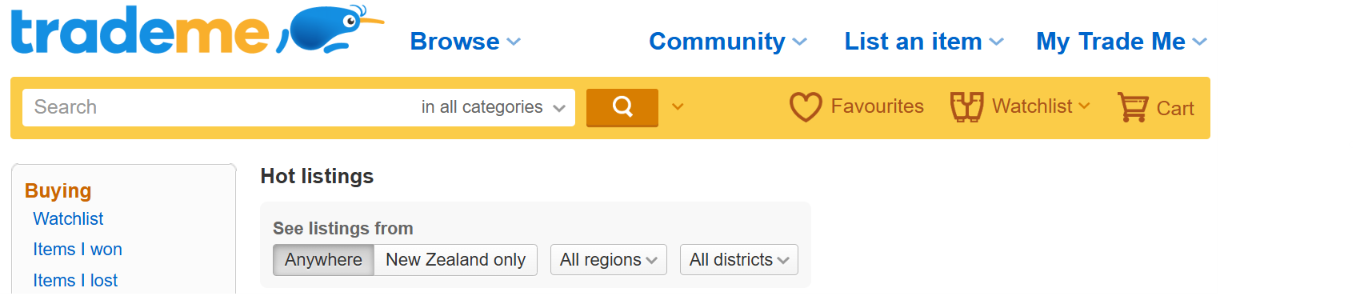
I'm on the Desktop site, Edge browser - all links are working for me, the hot listing takes me to the old desktop site where I can change the Search - Region - District
Example:
 0

4 comments
Date
Votes