Removing Photos on Android app
Answered
When you are listing using the Android Smartphone App..how do you remove photos from a listing ? Even before starting a listing , it seems the only way to remove an unwanted photo is to go onto the desktop site ? Once the listing has started..
-
 Hamish
Trade Me staff - Community team
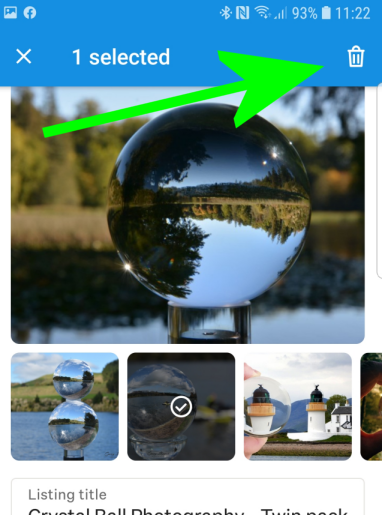
EditedHi Mark, when setting up or editing a listing from the Android app, you can tap on the photo you want to remove to select it, then a small 'trash can' icon will appear in the top right-hand corner which deletes the photo when you tap on it
0 -
Nope..tried that..no trashcan icon..i get x but nothing happens when i tag it..thanks..
0 -
Ah ha..i just tap where the trashcan should be..and the photo is gone !
0 -
 Gary-NZStocked Community Superuser
Here's what it looks like on my android phone just now Mark. Samsung S7.
 0
0
4 comments
Date
Votes