How do i share a listing by email
Answered
I have seen a listing that will interest a family member who is looking to buy a boat but i cant see anywhere where i can share the listing like i used to be able to.
-
 Gary-NZStocked Community SuperuserEdited
Hi Coralie. At the very bottom of the page just past the seller information you'll see
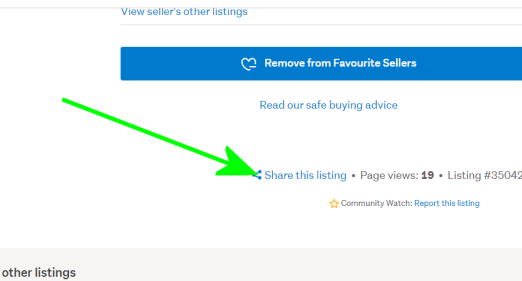
Click that and you get the share dialogue come up
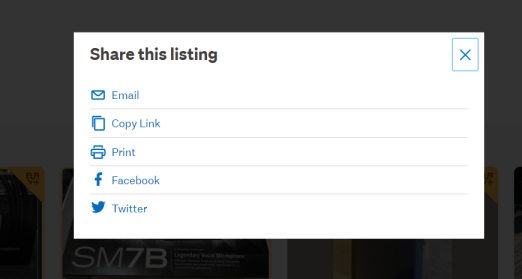
Then you can click on email to bring up another form where you can enter your friends email and a message.
You can also usually get there when you start scrolling down and the share and watchlist pops up top right as here..
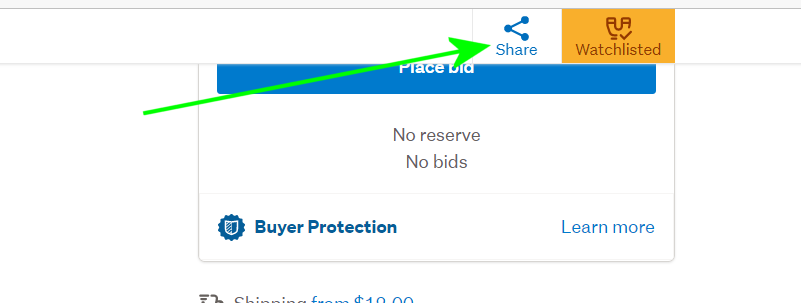
Ooh, just realised they don't have the bottom of page Share link on Motors and boats, so you need to use the one that pops up top right when you scroll.
0 -
Hi - i looked at all of those options and they dont seem to come up on the listing. This is the listing i am wanting to share
Z980M : 2009 Kingfisher 470
0 -
Gary-NZStocked Community Superuser
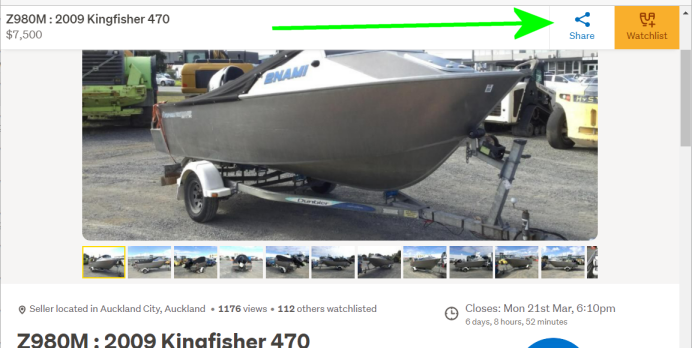
I get the top share show up on that listing when I scroll down.
If you are having trouble, just do the usual way of starting an email, putting in a link to www.trademe.co.nz/xxxxxxxxx
replacing the xxxxx with copy and pasted listing number from the bottom of the page ie for that one www.trademe.co.nz/3512041189
 0
0 -
Im not sure wny the share button does not come up next to the watchlist when i scroll either. But i was able to share the listing by emailing the link you provided. Thank you for your assistance much appreciated.
0
4 comments
Date
Votes