Can only put buy now on listing??
Answered
-
 Gary-NZStocked Community Superuser
Do you mean on the first page like this?
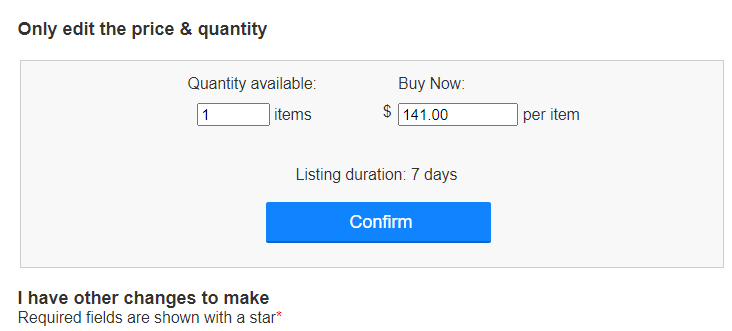
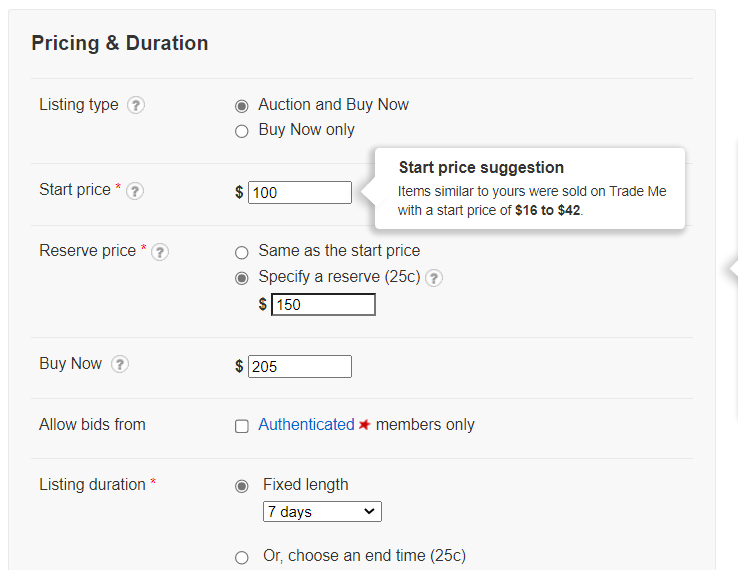
If so, that's like a quick relist. If you don't touch click the Confirm button but click the Next button further down, then you can change from Buy Now to Auction like this.
 0
0 -
Thanks but page doesnt look like that? And i dont know how to add a screen shot in here.
Ive done a edit relist and the space where i can enter numbers for reserve and start price are both greyed out and wont let me put anything in.
The original listings were just Buy Nows. Do you think thats the issue? Have 6 listings doing the same0 -
Gary-NZStocked Community Superuser
Ahh, you must be on the new site. Looks like the new site remembers that it was a Buy Now only and won't let you change it as the fields are greyed out like this..
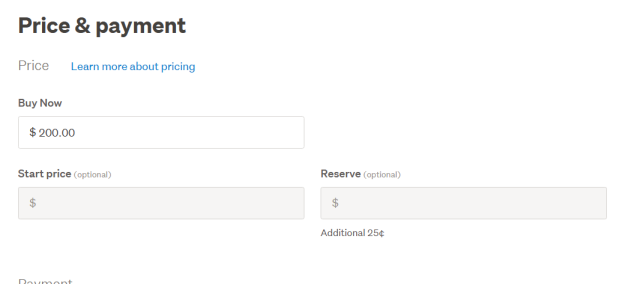
Not sure there is a way to get around that other than to start again, but I would try going to the standard site unsold page where you can filter for items to relist and then get the screens like I got above.
https://www.trademe.co.nz/MyTradeMe/Sell/Unsold.aspx
0 -
Yes that's it! Thank you! I will try to get back to the old site. Really cant be bothered starting the listings again 😬
0 -
Gary-NZStocked Community Superuser
You should be able to click on that link I posted to get to the old site.
0
5 comments
Date
Votes