Editing /removing photo
Answered
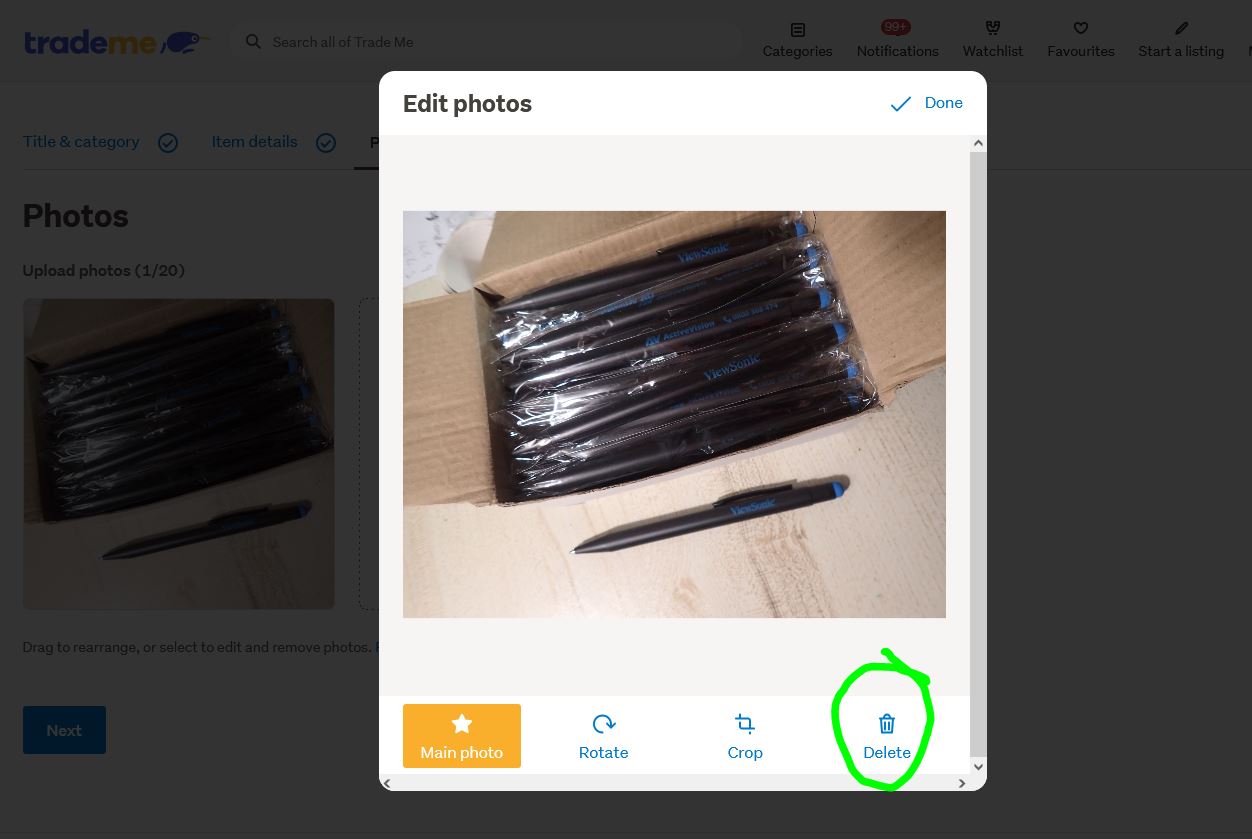
I can't remove photos from listing in setup new listing. I t says click on the photo to edit. But I dont know how to edit and remove photo.
-
 Callum Community Superuser
Morena Tahi. As per the instructions, you click the photo to edit or delete it.
After you select Edit from the main auction page, you go through the pages until you get to the photos.
Click the photo you want to delete and the option comes up. Like this:
 0
0
1 comment
Date
Votes