How to: Getting started with Community
Pinned Featured
What is Community?
Trade Me’s Community is a place for members to give tips and advice, ask questions, and help each other with all things Trade Me.
Topics
Community topics are grouped by actions or areas of Trade Me, so you can ask your question or share your tip in the most related topic. For example, a question about the Trade Me account statement page would go into the ‘managing your account’ topic.
Posts & comments
You can browse the latest posts within each topic. If you have a question to ask or a tip to share, have a quick look under the relevant topic or do a search for an existing post on the subject to comment on. If there isn’t one already, you can create your own post. Comments are made on posts to answer questions, share tips and tricks, troubleshoot and provide constructive help.You can edit posts and comments after you create them if needed. To edit a post, select 'Edit' next to the title:

And to edit a comment, click on the little cog to the right of your comment:

Email notifications
If you want to receive email notifications when someone has commented on a particular post, you can click on ‘Follow’ at the top of the post.
When you create a post or comment on an existing post, you'll automatically 'Follow' it.
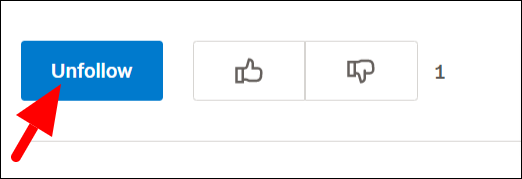
If you no longer wish to receive updates on posts you’ve made or commented on, click on ‘Unfollow’:
Voting
Both posts and comments can be upvoted or downvoted. Upvoting can be used as a way to appreciate or agree with someone’s post or comment. Downvoting can be used to flag posts and comments to the Community team for moderation, however note that not all downvoted content will be moderated if it doesn’t breach the community guidelines. To help keep things tidy, please use upvoting and downvoting in place of +1 type comments too.
Community guidelines
To ensure everyone is able to enjoy using Community, please read and abide by our Community Guidelines and remember one of our Trade Me values - don't be a dick.
0 comments